万里汇(WorldFirst)万里汇(WorldFirst)

Set Rate Alert

You can customize and set exchange rate alerts to help you stay informed about market trends.

Settings entry

  1. In WorldFirst portal,Click [ FX ] section via the navigation bar
  2. Click the [ Set rate alert ]button (🔔 icon) in the top-right corner.
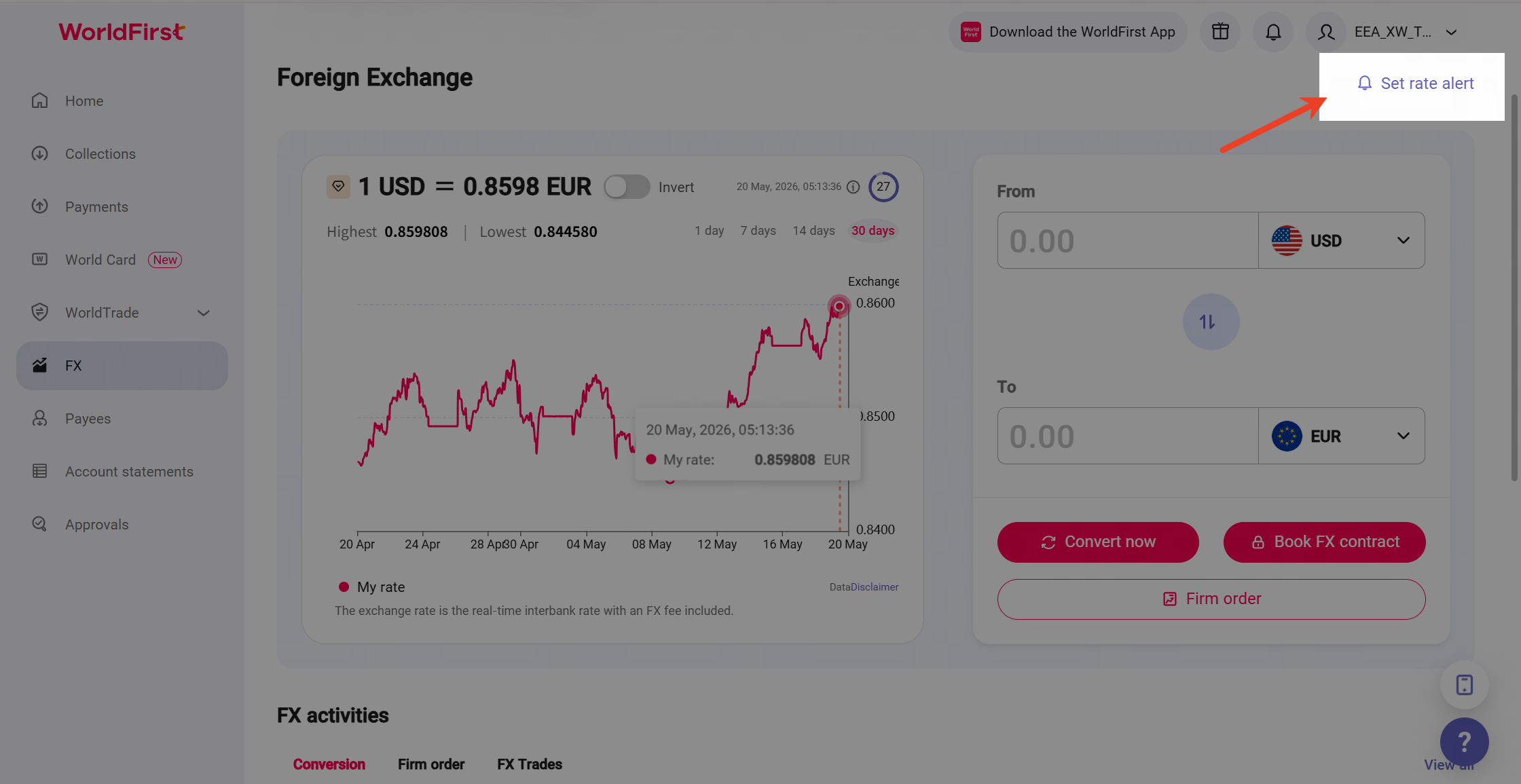
image.png

Set Rate alert

  1. Click [ + Add rate alert ] then you can Configure your desired currency pair and trigger rate on the new page.
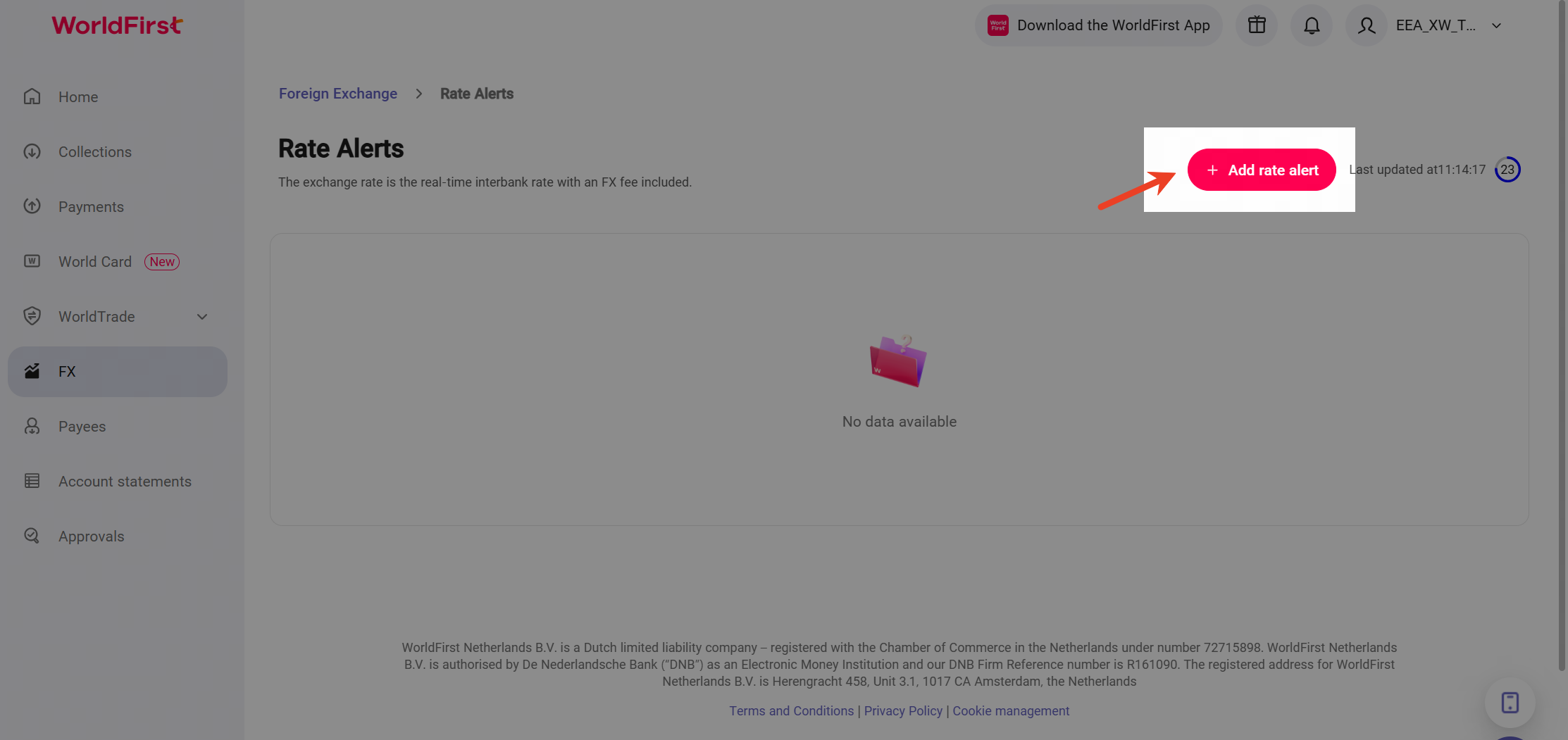
image.png

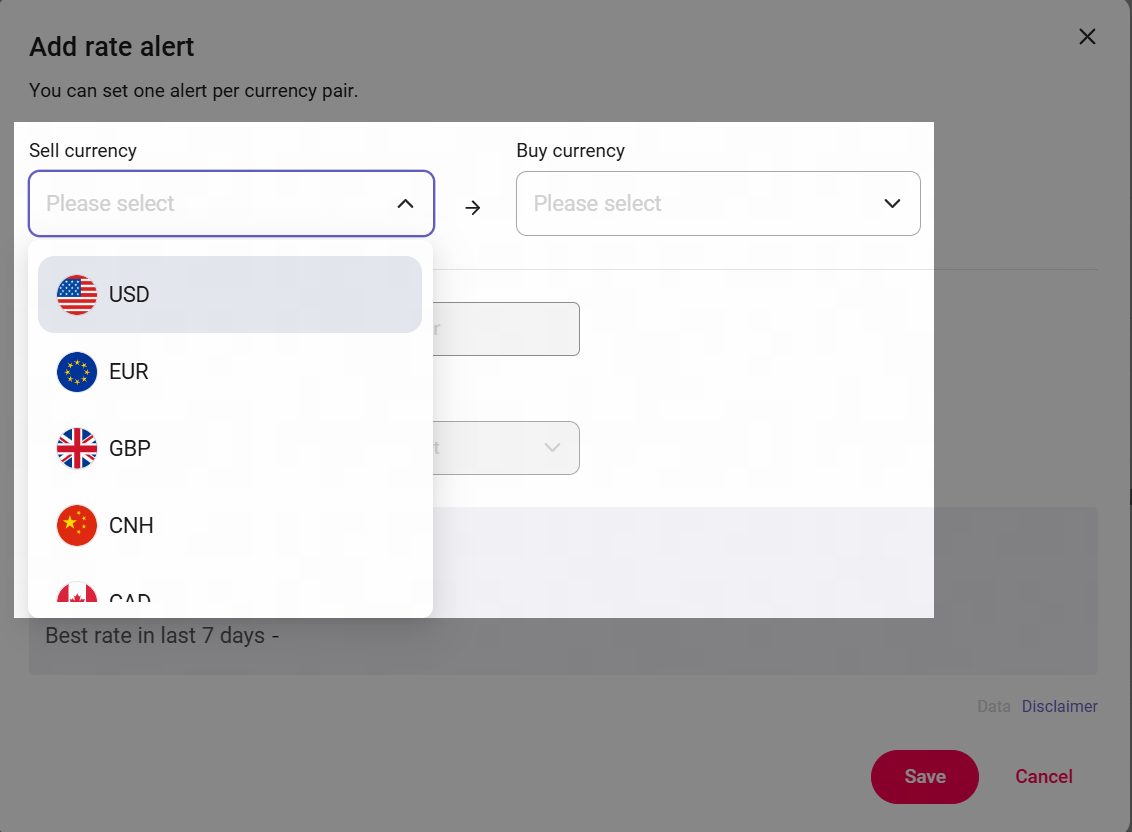
  1. Please fill in the currency pair for which you wish to set an alert, You can set one alert per currency pair.
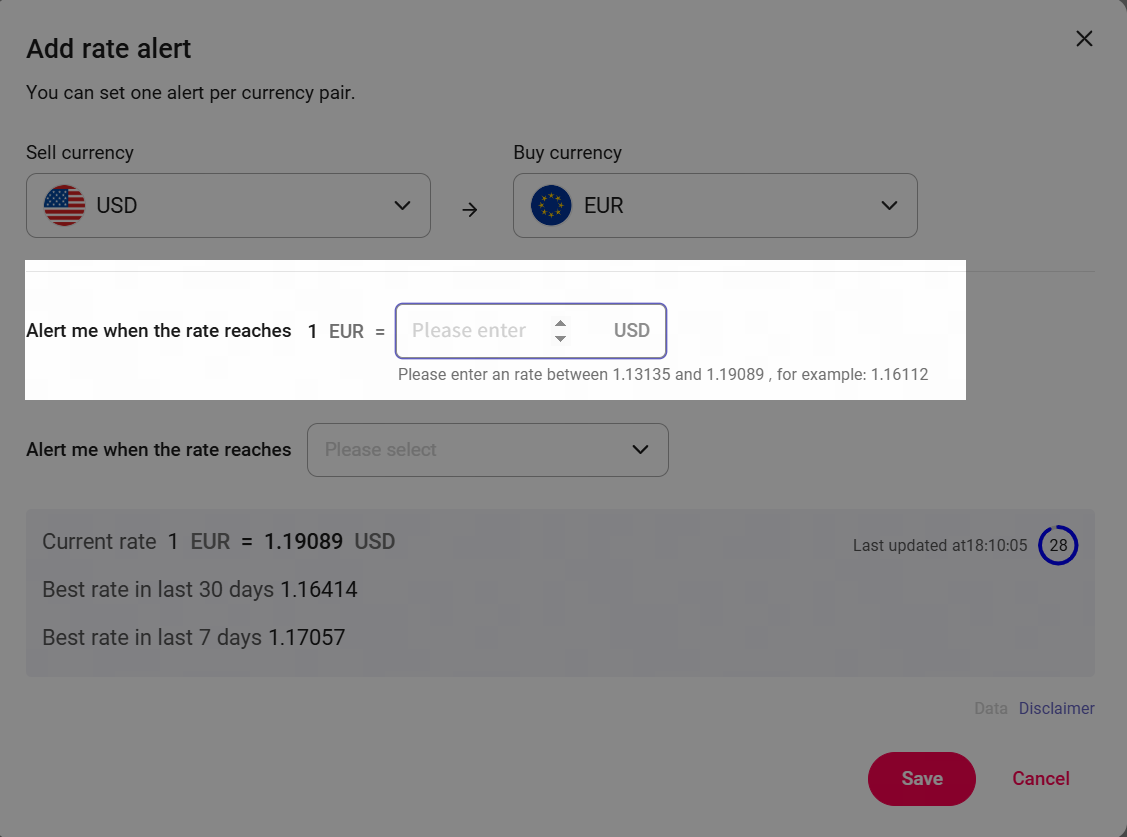
  1. Enter your desired target exchange rate, but only enter rate that systerm Recommended Exchange Rate Range.

image.png

image.png

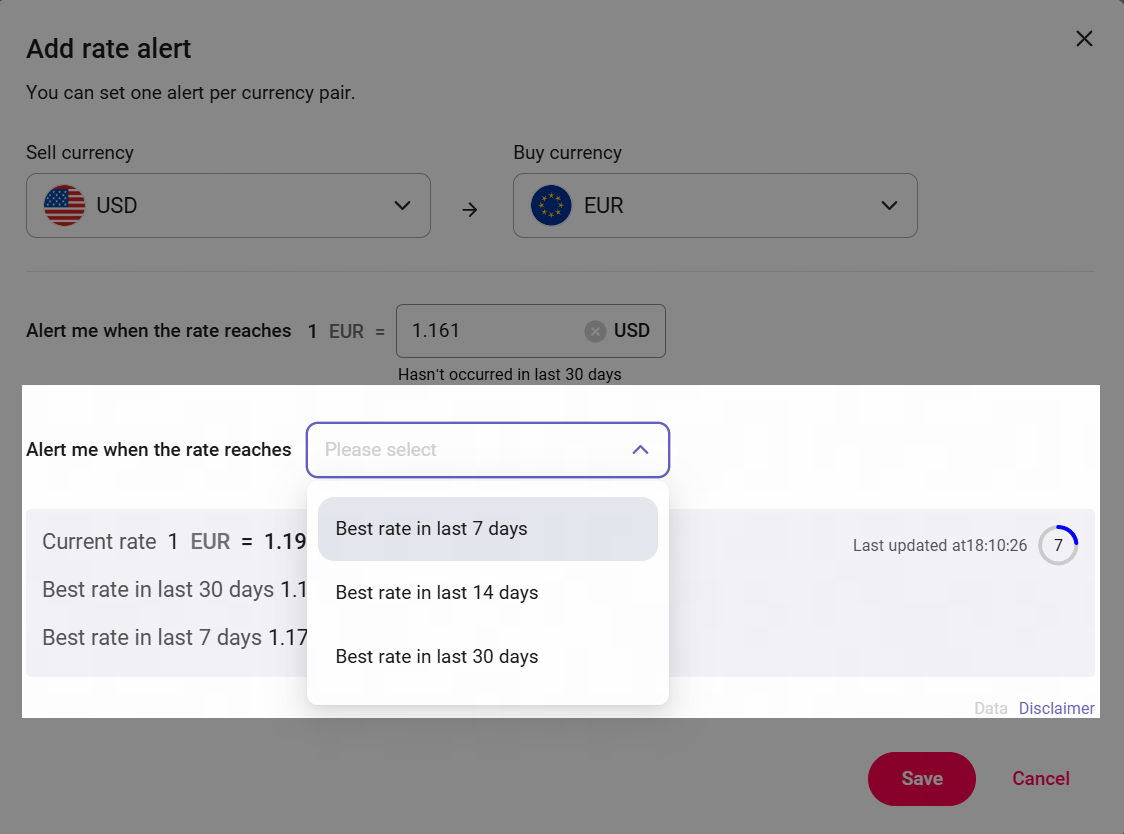
  1. Choose a specific time period within which the rate should be reached — you can only select one of the following options: 7 days, 14 days, or 30 days.And then click [ Save ]to activate your alert.
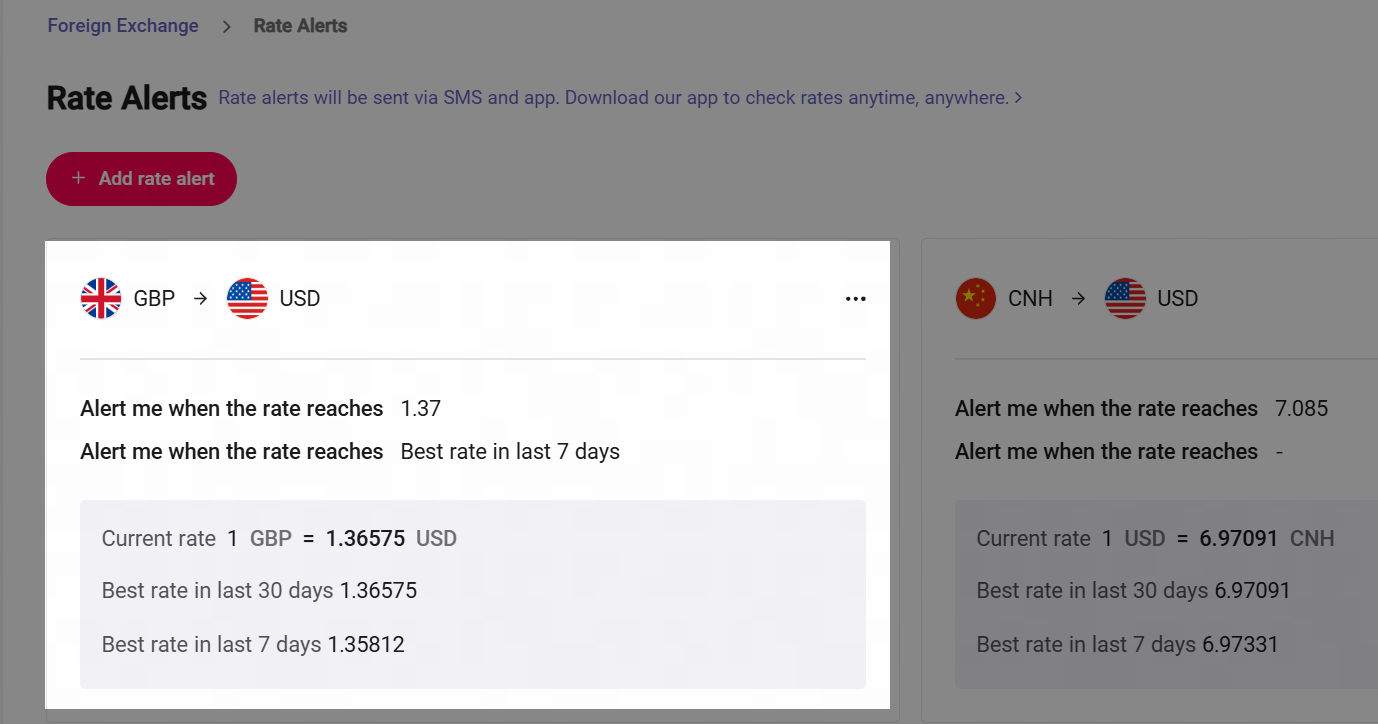
  1. When you activate your alert, Alert will be sent via SMS and the app. Download our app to check exchange rates anytime, anywhere.

image.png

image.png