
Live Rates
Live rates is a real-time exchange rate tool that will update continuously to show you the most up-to-date rate trends. You can customise the Live rates widget, to display your most frequently used currency pairs, so you can stay informed of market movements, and transact at a rate you are comfortable with.
|
View Live Rates
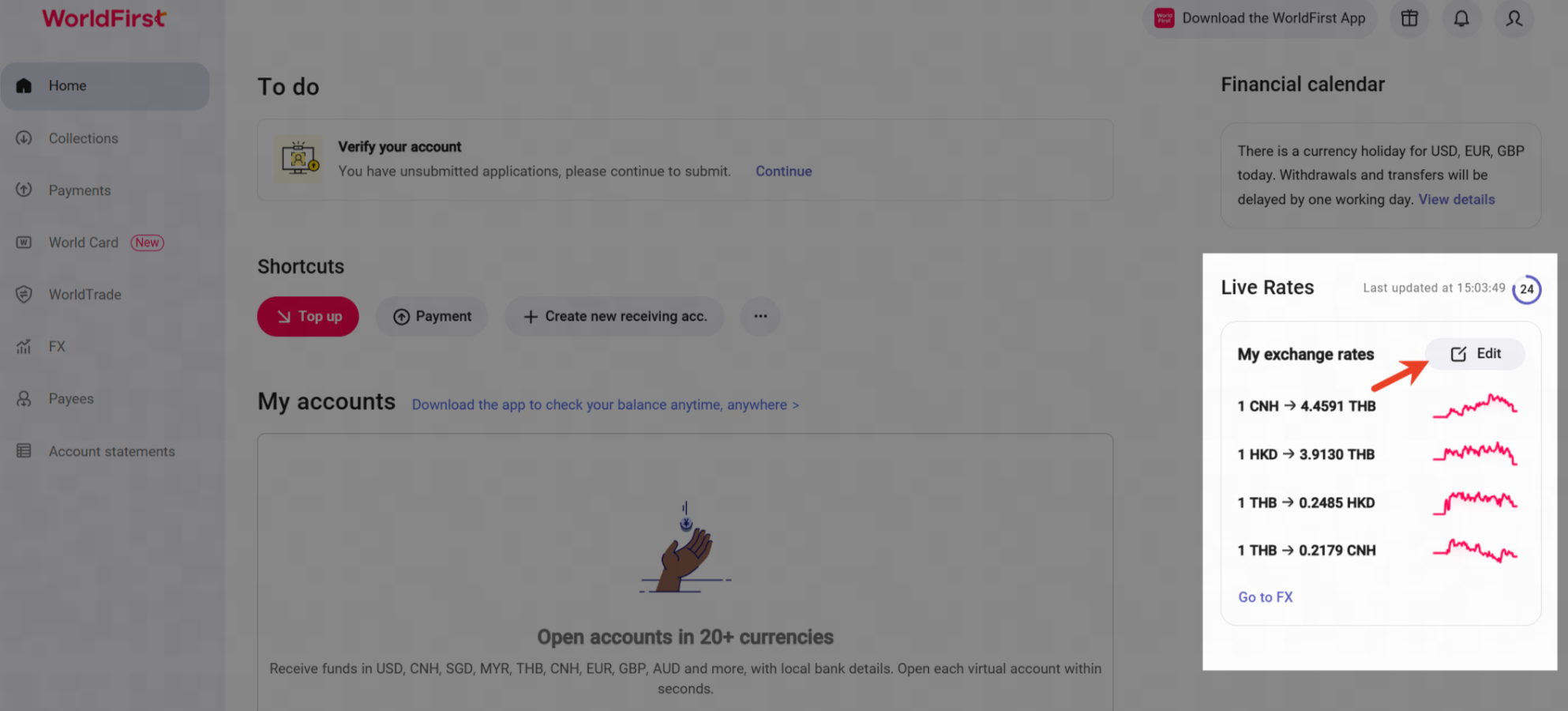
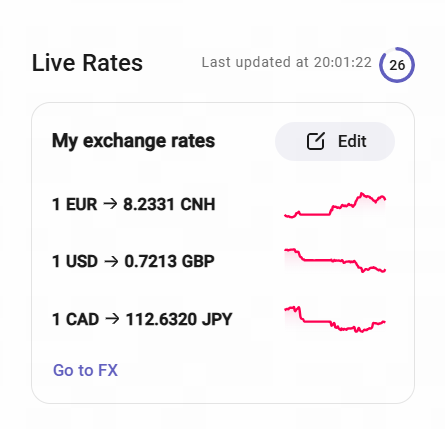
- From the World Account dashboard, scroll down until you see "Live rates" on the right hand side of the screen.
- Live Rates displays real-time exchange rate trends, and will refresh every 30 seconds. You can view currency trend charts for your selected currency pairs here.
- Click "Edit" to customise which currency pairs you would like displayed.
*Red text will appear when rates reach recent peak levels.
Set Live Rates
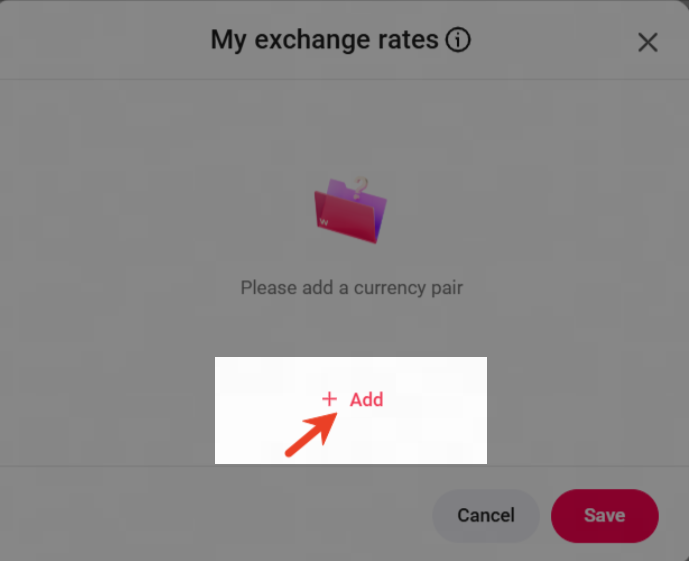
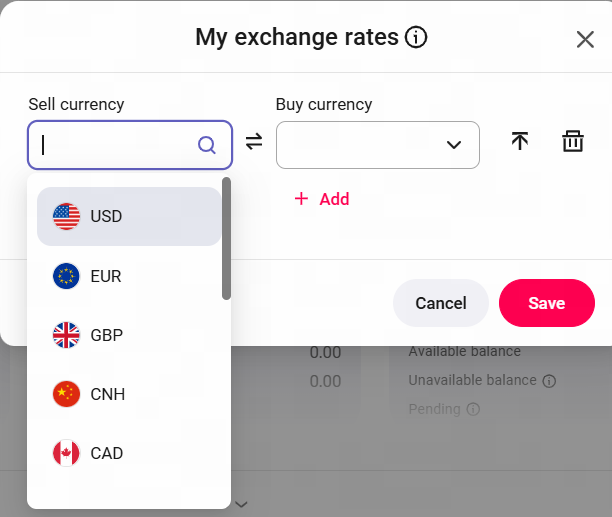
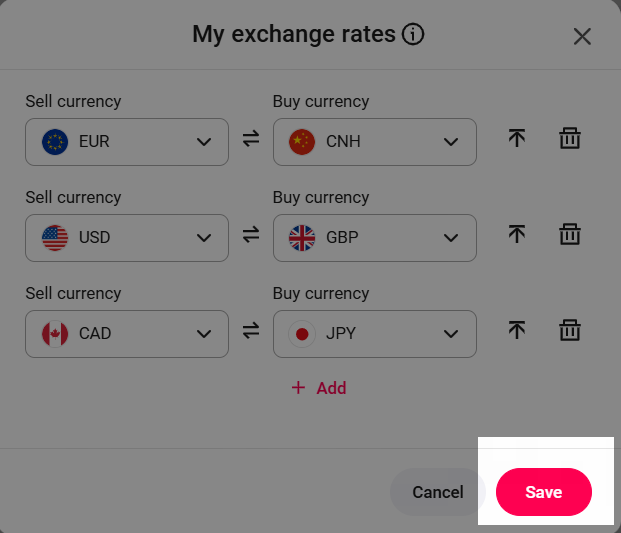
Step1 : Click "Add" to add currency pair. | Step2 :Select the Sell currency and Buy currency. | Step3 :Click "Save" to submit. |
|
|
|
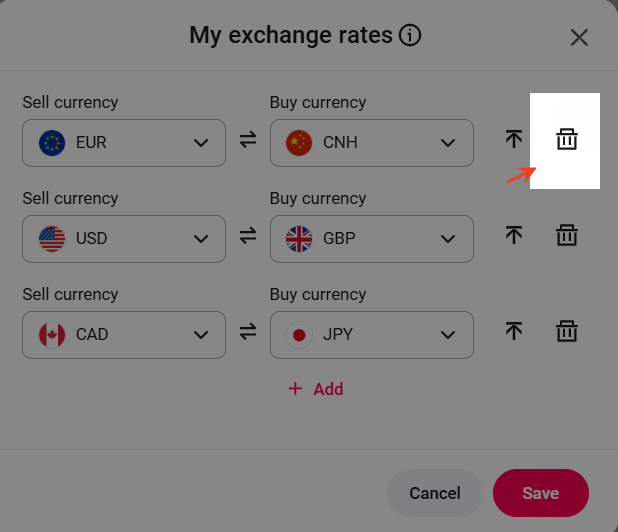
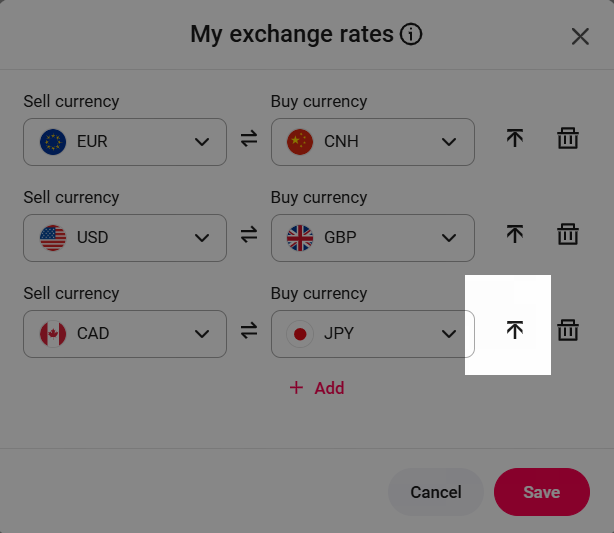
This is how your currency pairs will be displayed after being set up. | You can click here to delete the currency pair. | Click here to pin the currency pair to the top of the widget. |
|
|
|
Go to FX
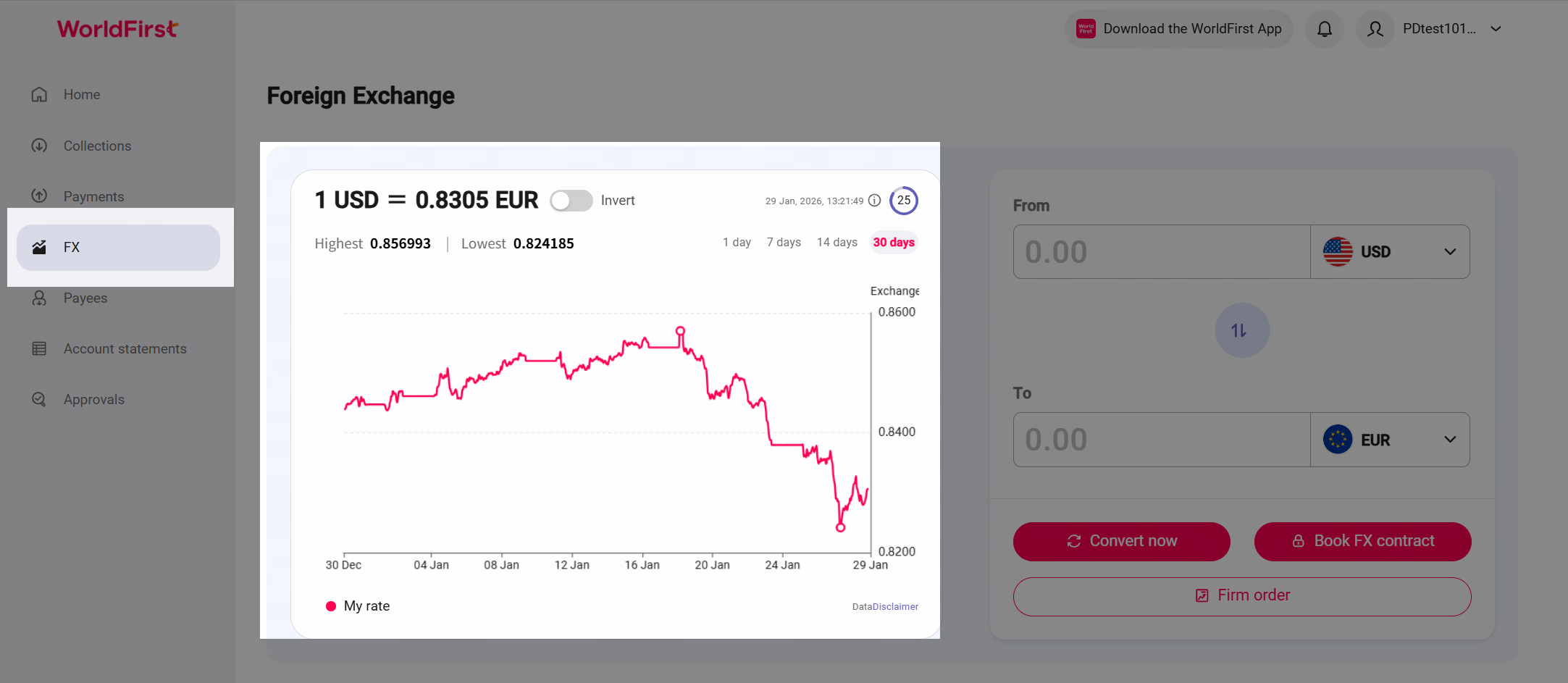
Click "Go to FX" under the live rates section to access the FX page.
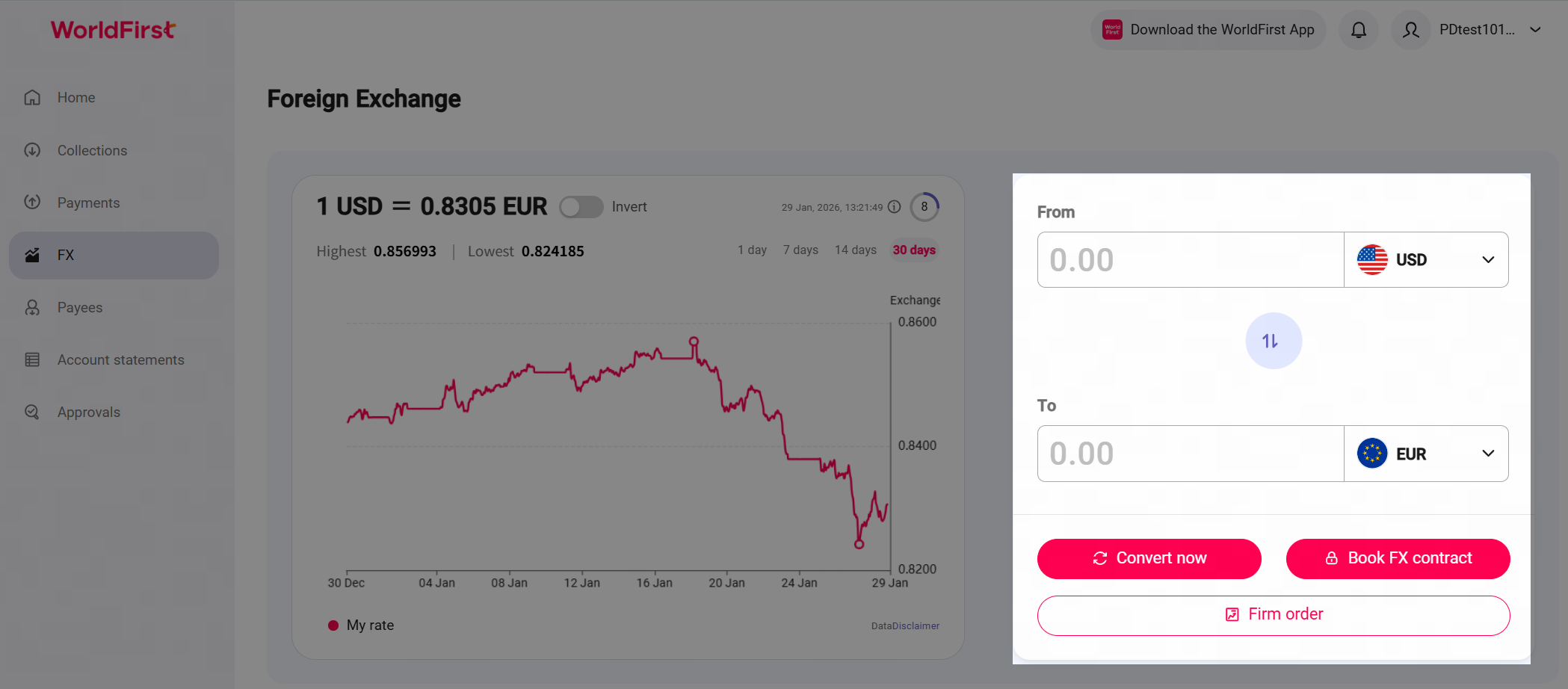
On the FX page, you can view exchange rate trend charts for the past 30 days. You can also see the highest and lowest rates for this currency pair based on the selected time period. | On the right side, you can select the currency pair and enter either the amount you wish to convert from or to. |
|
|
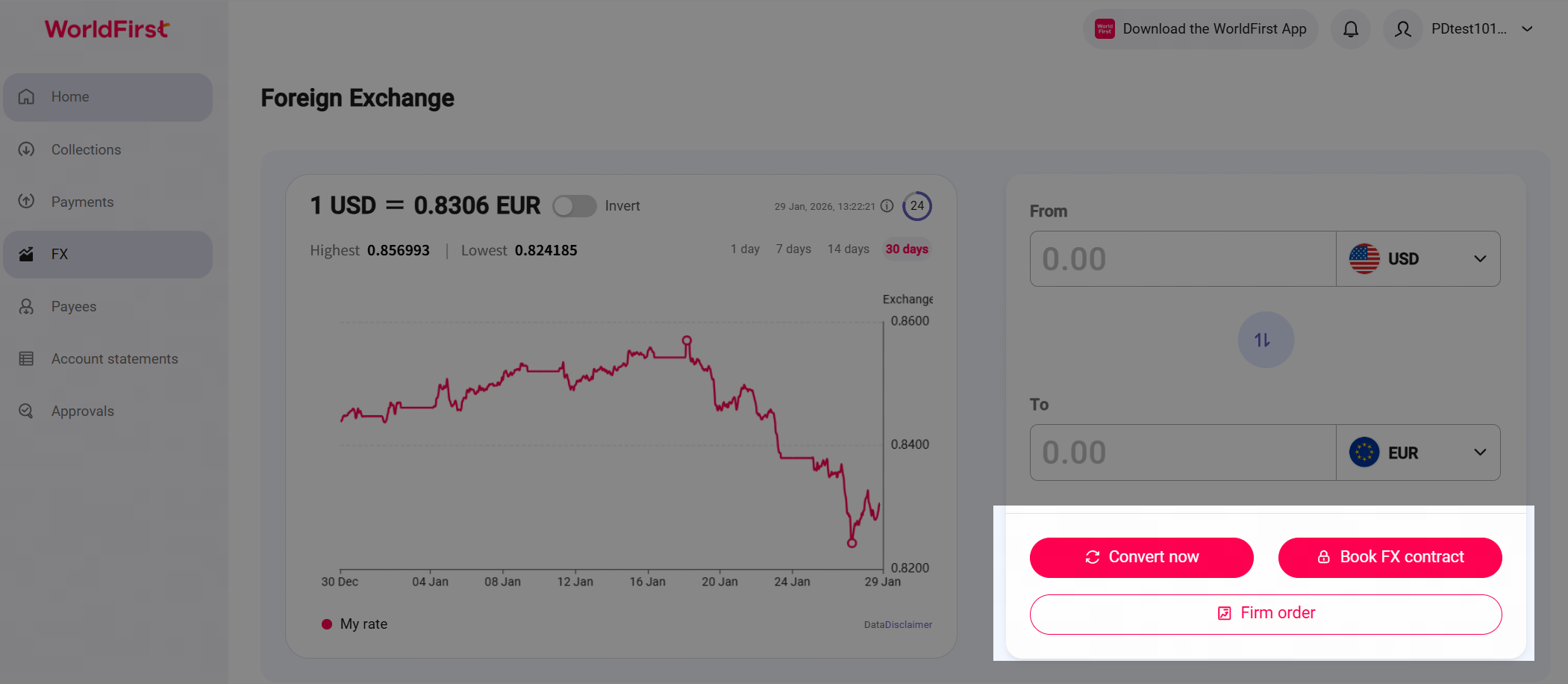
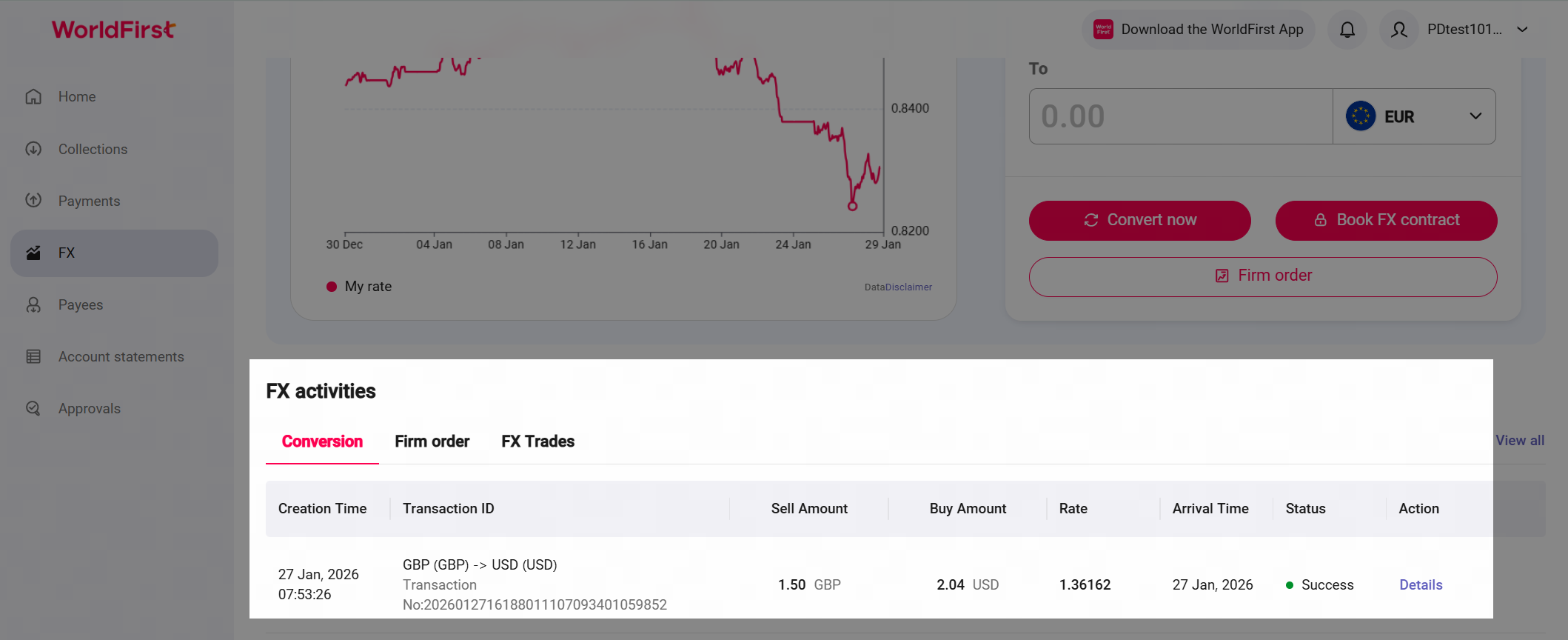
From this page you can either convert instantly if you have sufficient balance, book an FX contract to fund later, or creat a firm order to convert you funds at a desired rate. | Scroll to the bottom of the page to view all your completed and open FX transactions. From this blotter you can view all your conversion, and manage your Firm Orders, Rate alerts and FX trades. |
|
|
FAQ
How do FX fees work?
- When you make an FX transaction, the exchange rate you will be the current market rate plus your FX fee percentage. More information on FX fees can be found here: How to understand foreign exchange fee structure of WorldFirst?
Will Live rates show me the current market rate, or the rate I will receive for an FX transaction?
- Live rates will show you the current rate you could book an FX transaction with, and will already include your FX fee.
Can I switch the quote direction on Live Rates?
- Yes. You can customise the quote direction displayed by clicking "Edit", and switch the "Sell currency" and "Buy currency".