
Firm Orders
For when you have a target exchange in mind, but don't have the time to keep up with the market, a firm order is there to make sure you don't miss your rate. With a firm order, when the rate reaches your target, WorldFirst will automatically book your FX for you immediately, leaving you free to focus on what really matters - growing your business.
|
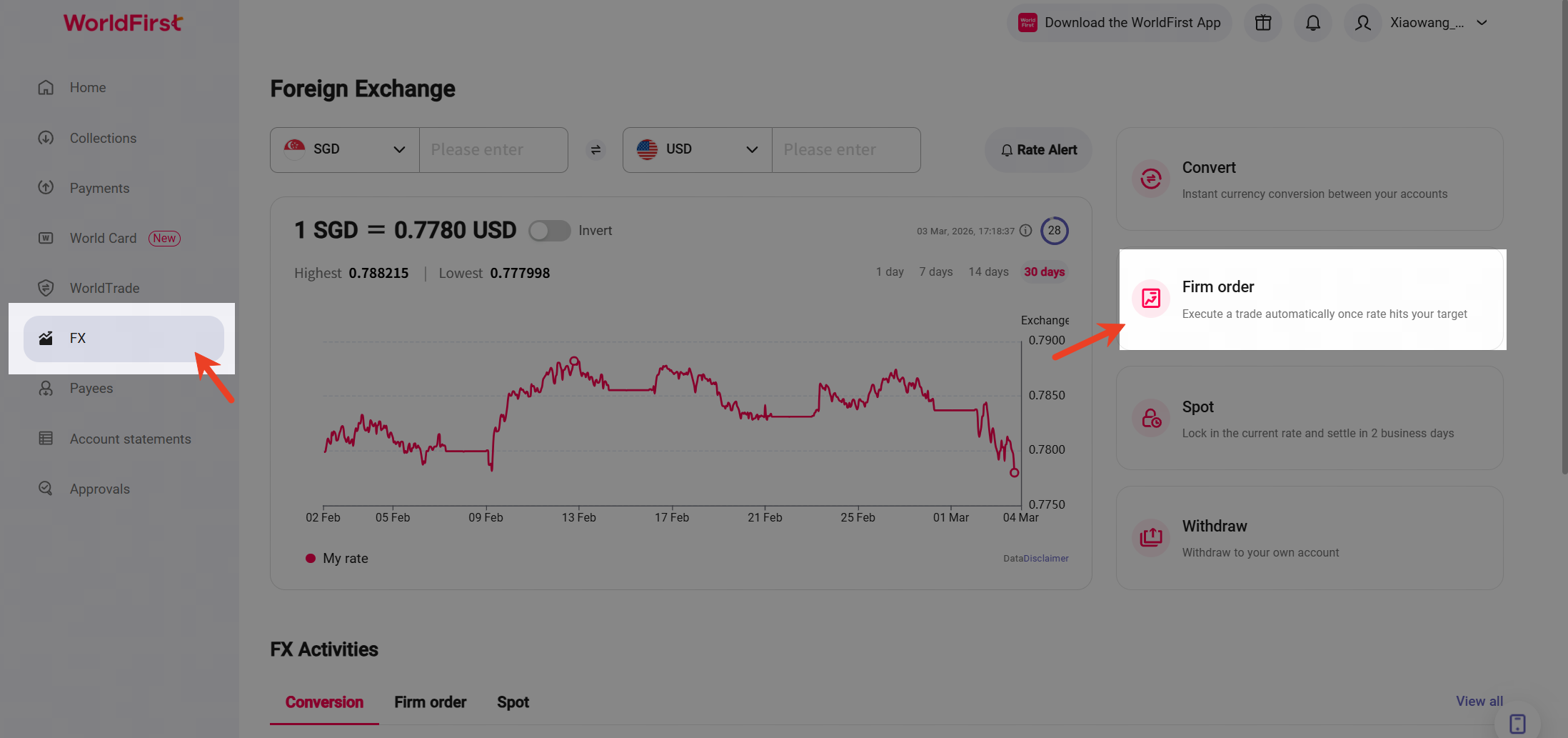
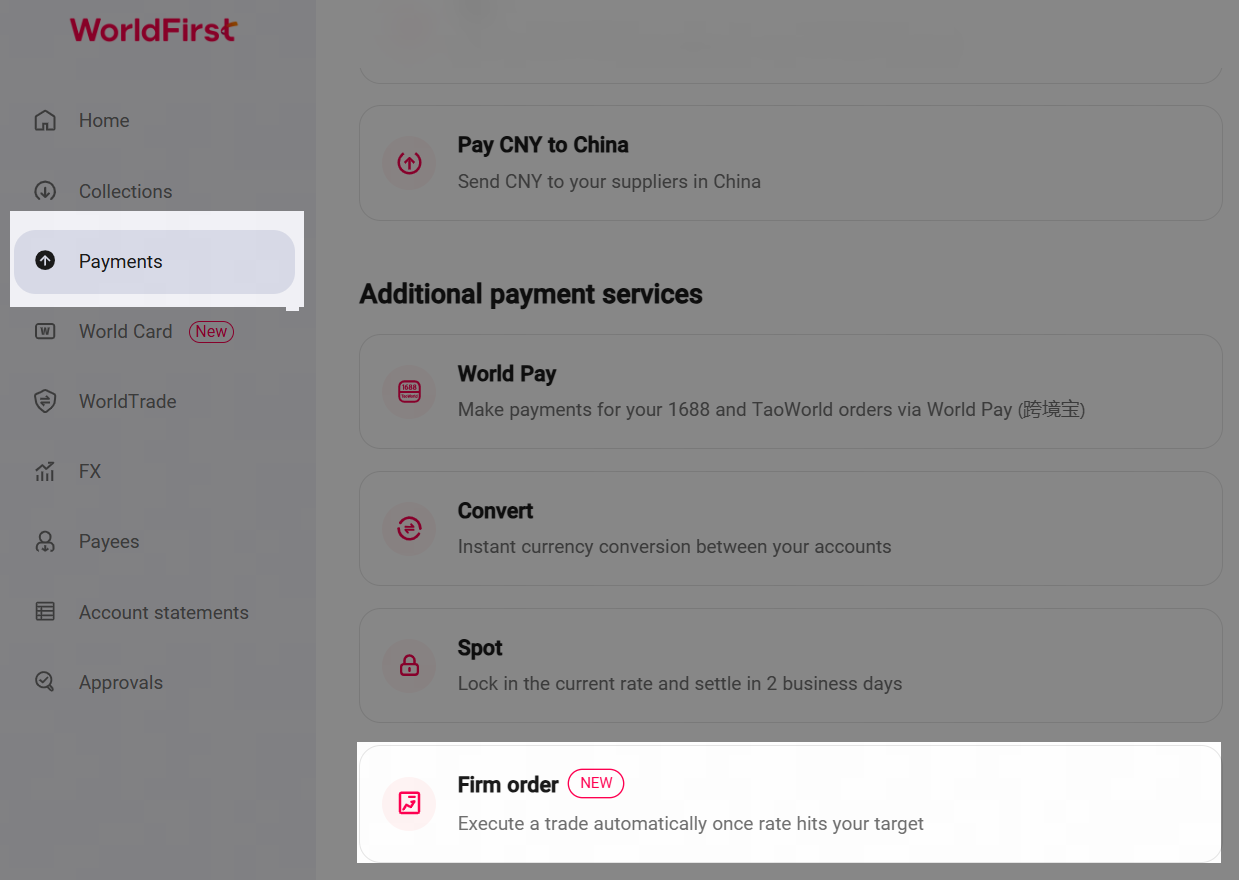
Access firm order
To initiate a Firm order, please go to [FX] and select [Firm Order]. | Alternatively, you can click [Payments ] and select [Firm Order]. |
|
|
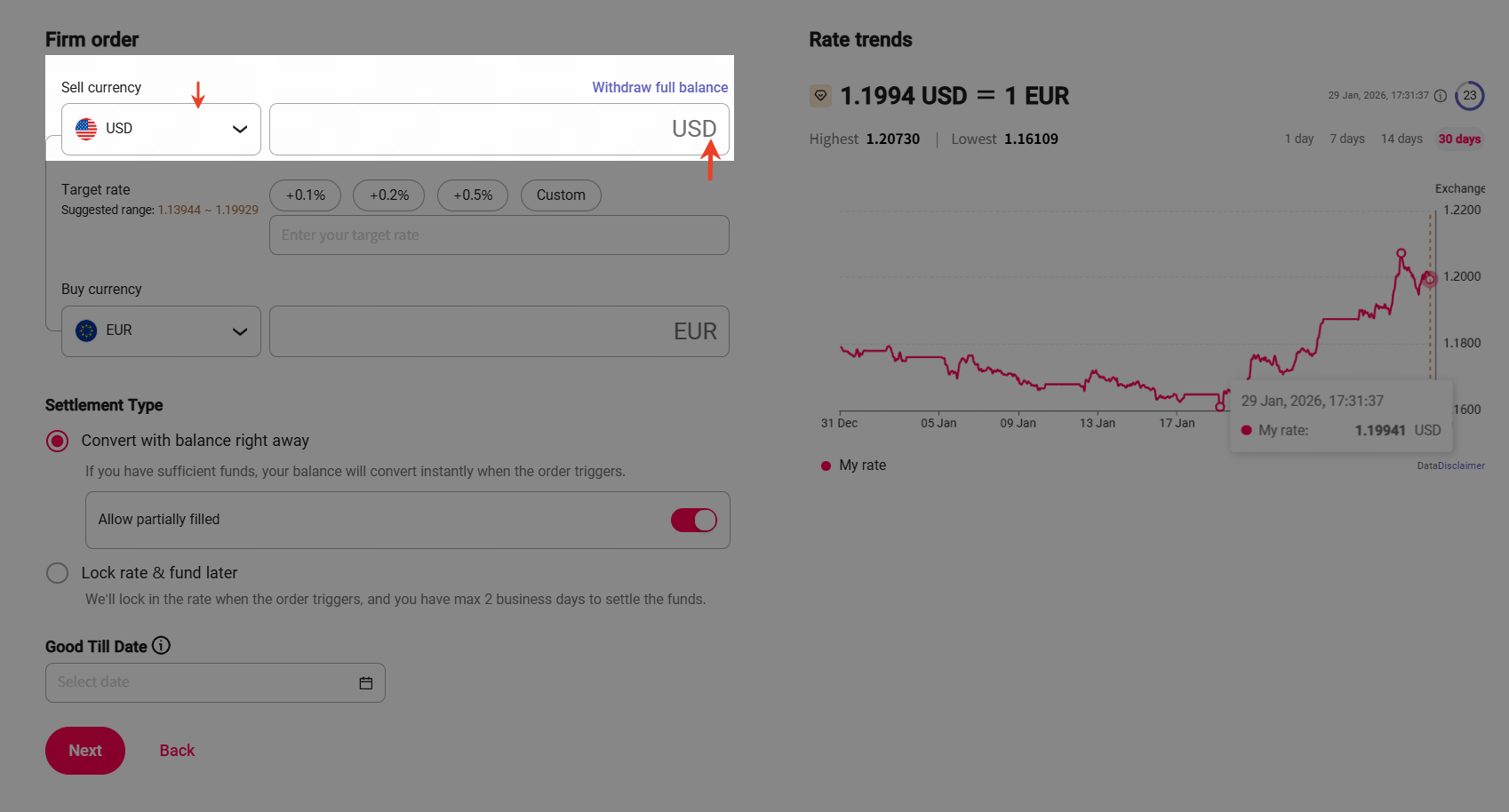
Select your desired currencies
WorldFirst supports 24 sell currencies and 18 buy currencies: Sell currencies: AUD,CAD,CNH,EUR,GBP,HKD,JPY,NZD,SGD,USD,CHF,AED,RON,MYR,NOK,HUF,DKK,THB,CZK,SAR,ZAR,MXN,PLN,SEK. Buy currencies: AUD,CAD,CNH,EUR,GBP,HKD,JPY,NZD,SGD,USD,CHF,SEK,PLN,MXN,CZK,NOK,DKK,MYR. |
Step 1: Select the [Sell currency ] you would like to convert. | Step 2: Select the [Buy currency] you would like to purchase. Enter either the sell amount you would like to convert, or the buy amount you would like to purchase. |
|
|
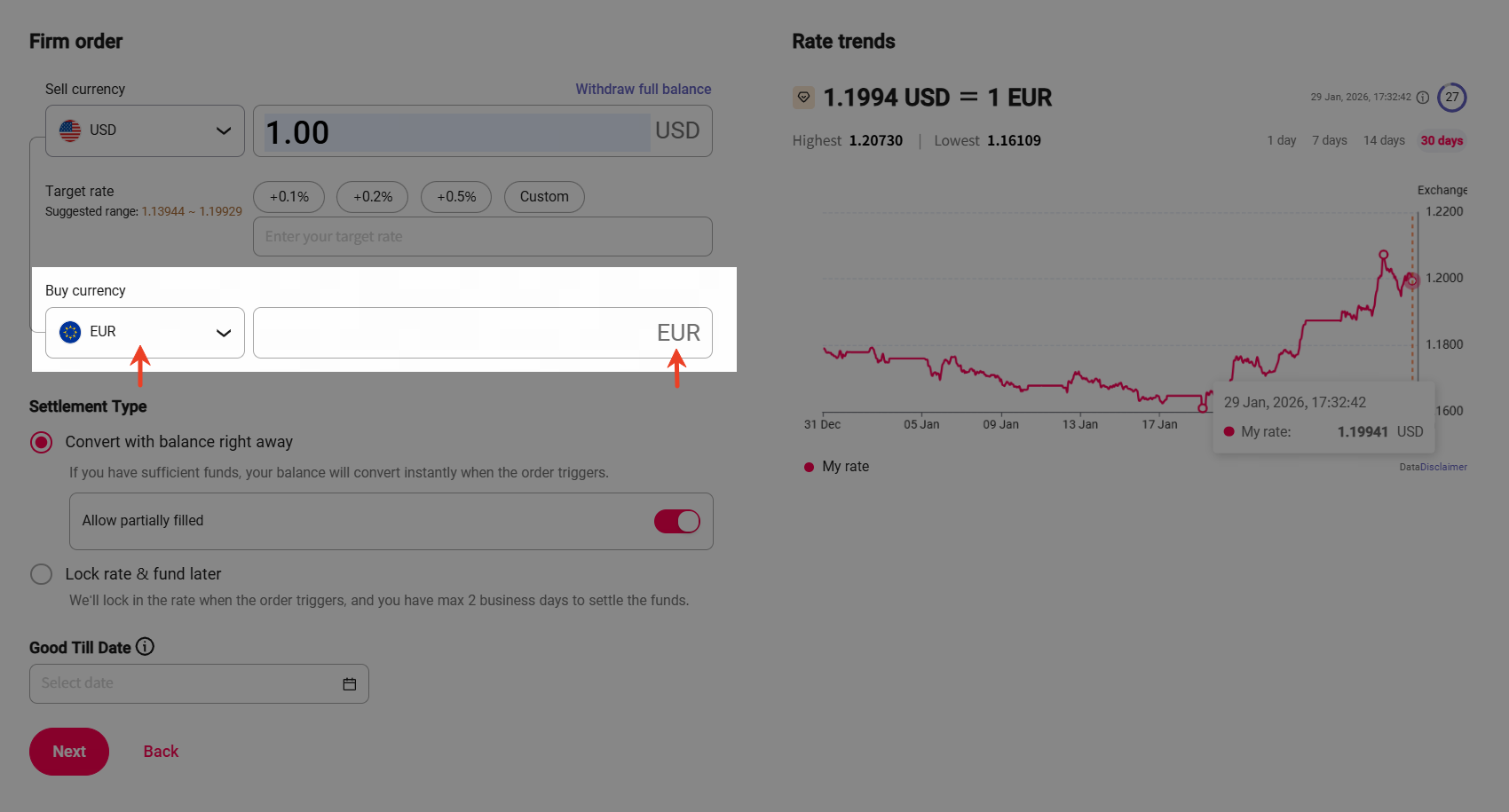
Set your target rate
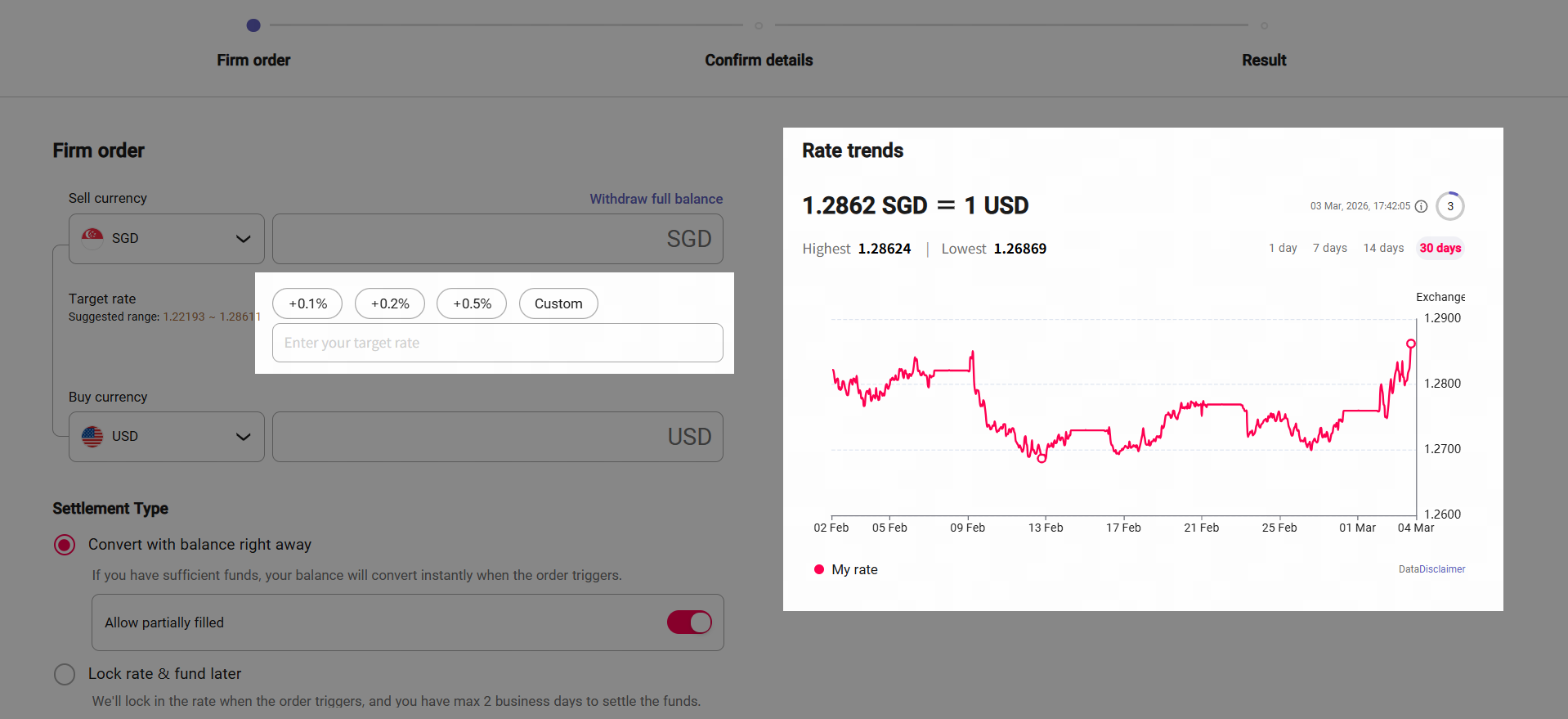
- Set your target exchange rate – you can either set your firm order to trigger at a rate which is a percentage better than the current rate, or you can set a specific custom target rate.
Use Exchange Rate Trends for Reference:
|
Select how you would like to settle your order
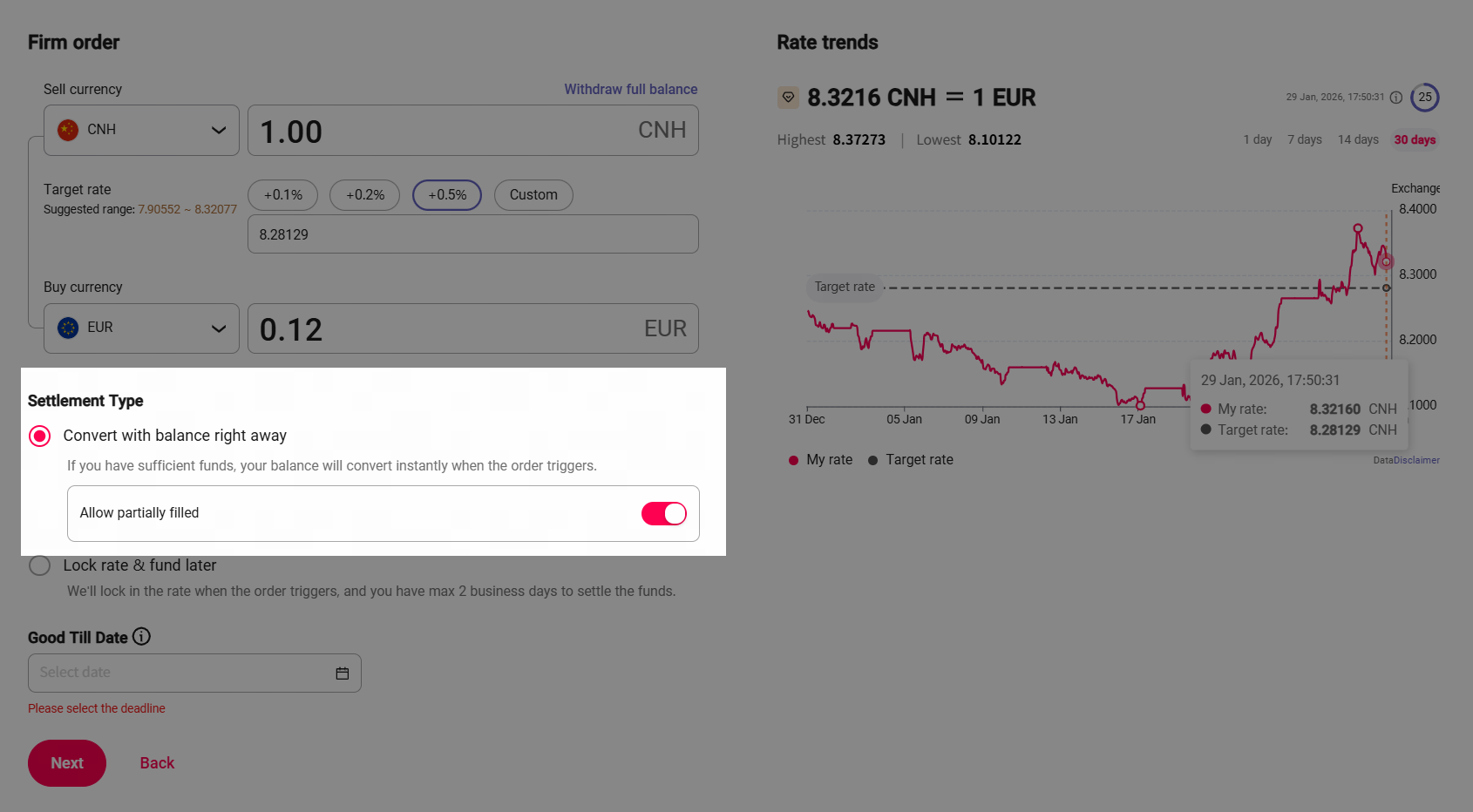
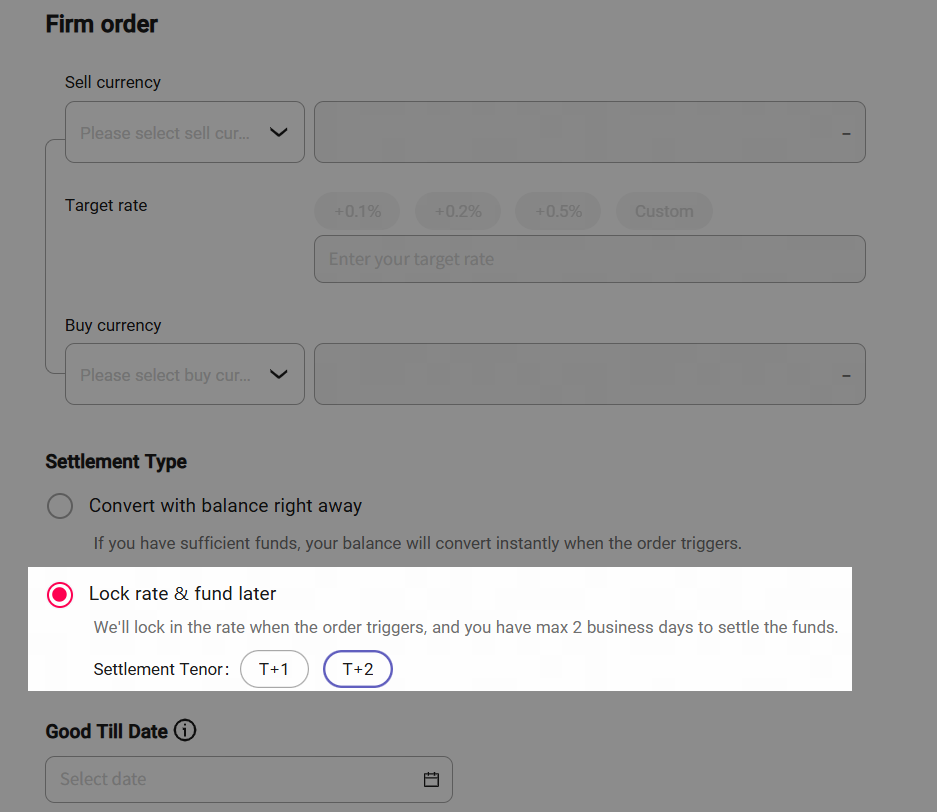
- Select your Settlement Type, either choose to have your balance settle straight away or lock in your target rate for up to two days to give you some time to settle your trade.
Convert with balance right away | Lock rate & fund later |
We'll convert your balance instantly when the order triggers if there are sufficient funds in your account. If not, the order will fail. By choosing [Allow partially filled], when your target exchange rate is reached, we'll exchange your available balance, even if it's less than your original order amount, ensuring you make the most of the rate reaching your target. | We’ll lock in the rate when the order triggers by generating a spot trade, and you have up to 2 business days to fund and complete your settlement. |
|
|
Set Good Till Date
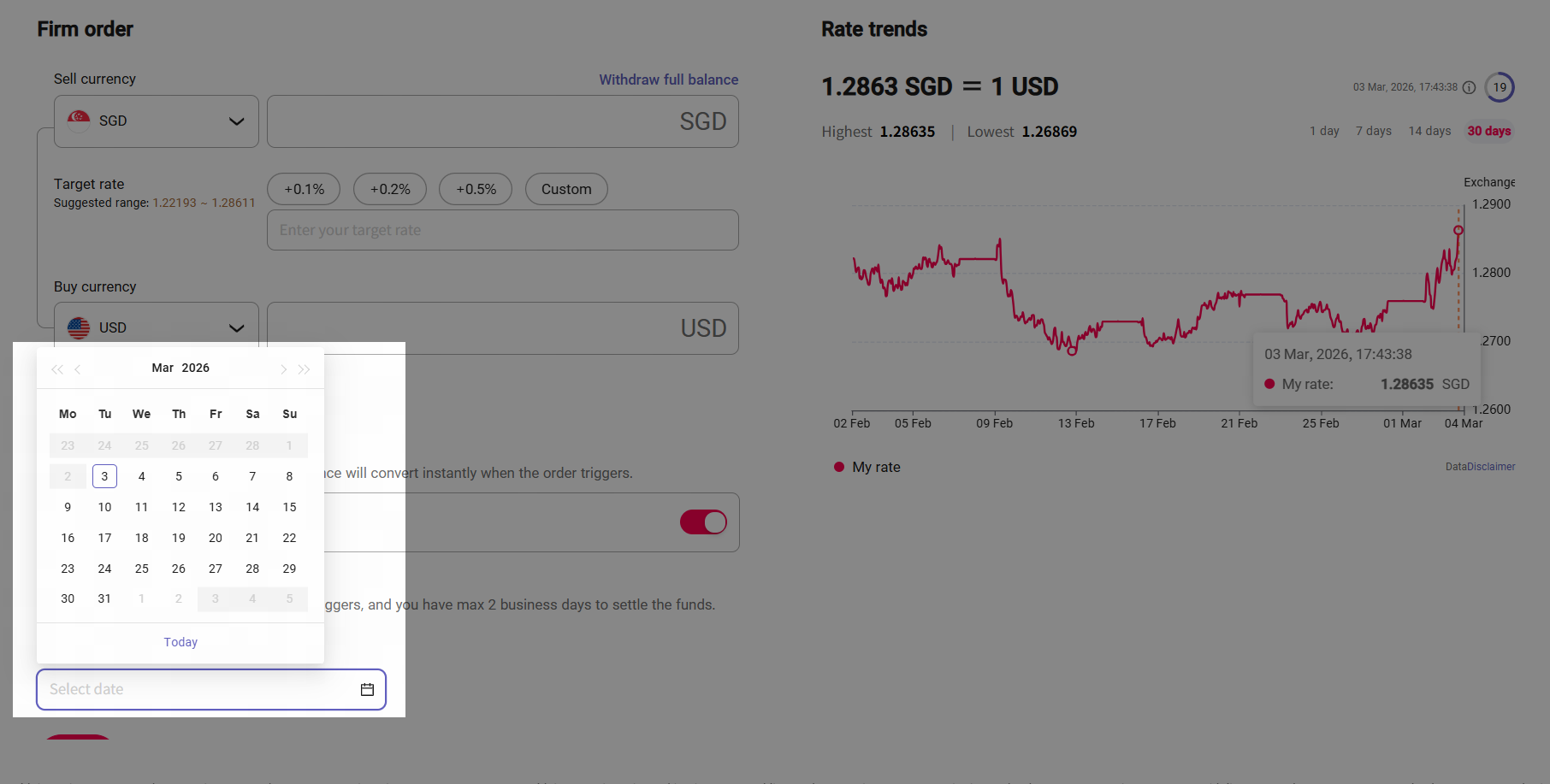
- Set your order's "Good Till Date", this date determines how long we will monitor the market and keep your order active and can be up to one month.
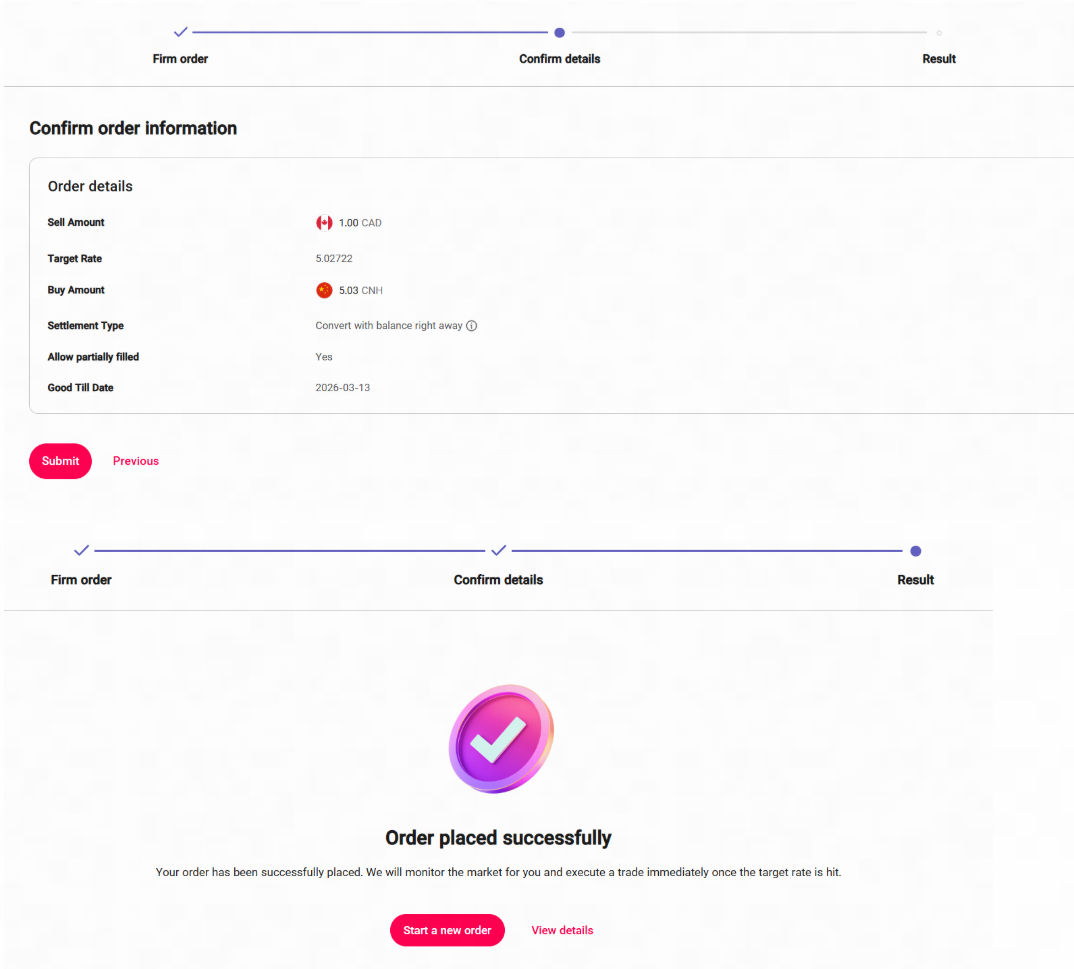
Confirm order information and submit
Confirm your order information and submit. After successful submission, we will begin 24/7 real-time monitoring, execution, and settlement.
Manage your firm orders
1. How to view the Firm orders
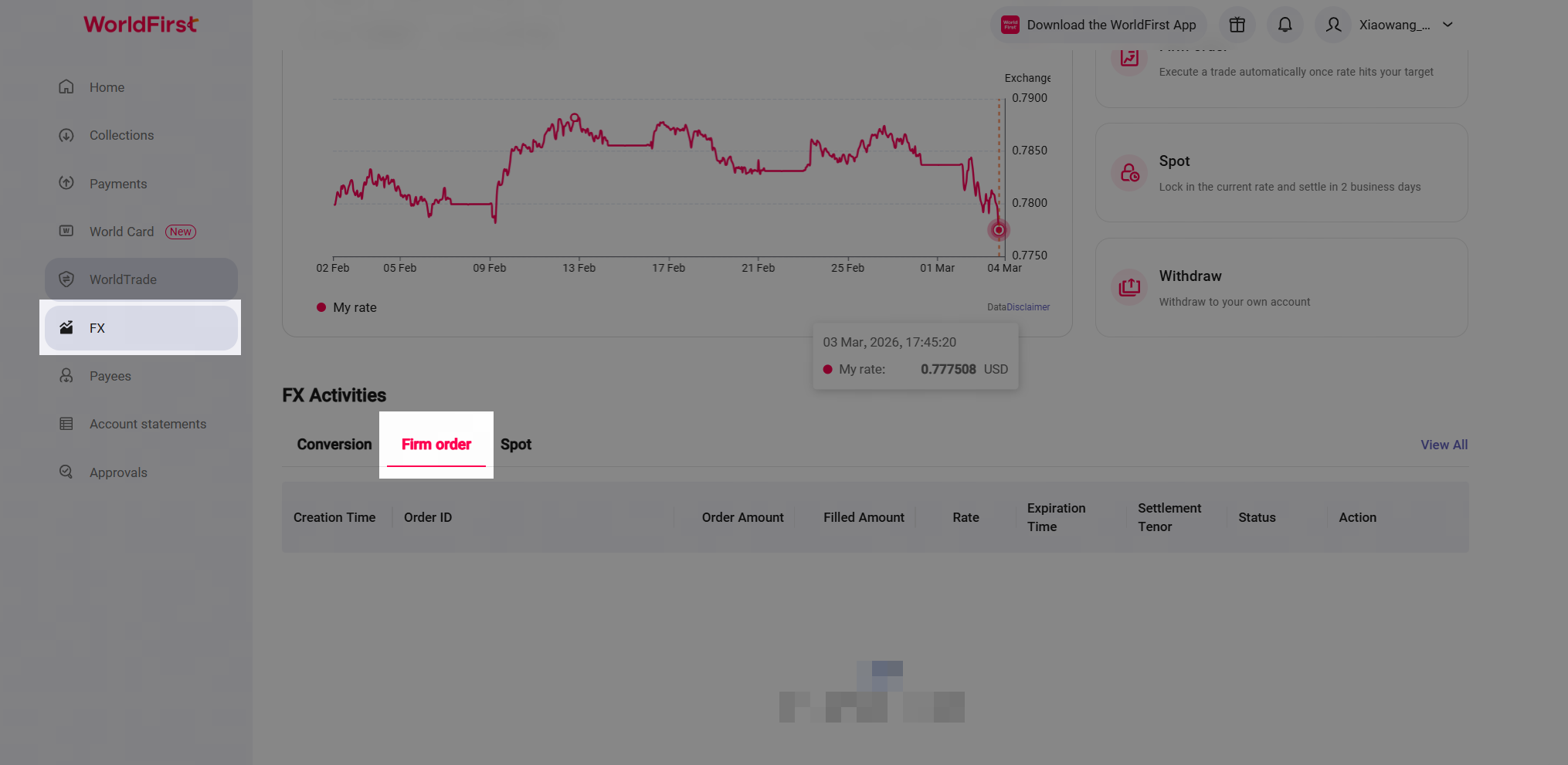
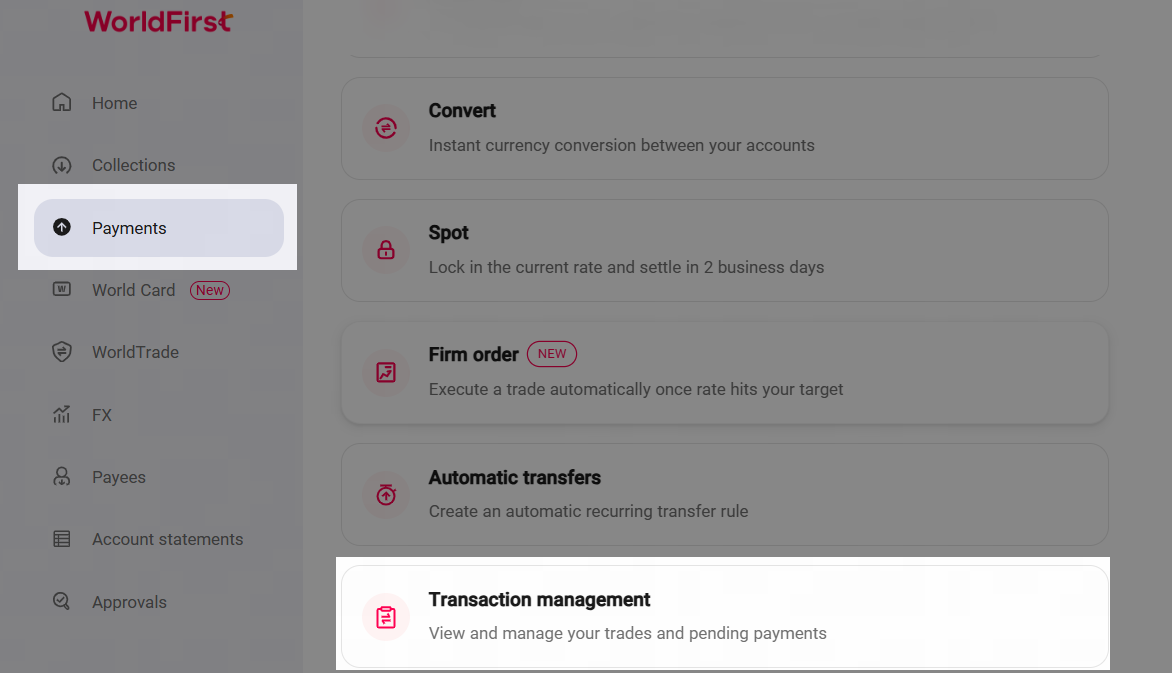
To view the Firm Orders details, you can access [FX] > [FX Activities], then select the [Firm Order] tab. If you can not find the orders, you can click [View All ] to find All the FX activities. | Alternatively, you can access [Payments] > [Transaction Management] |
|
|
2. Cancel or duplicate the Firm orders
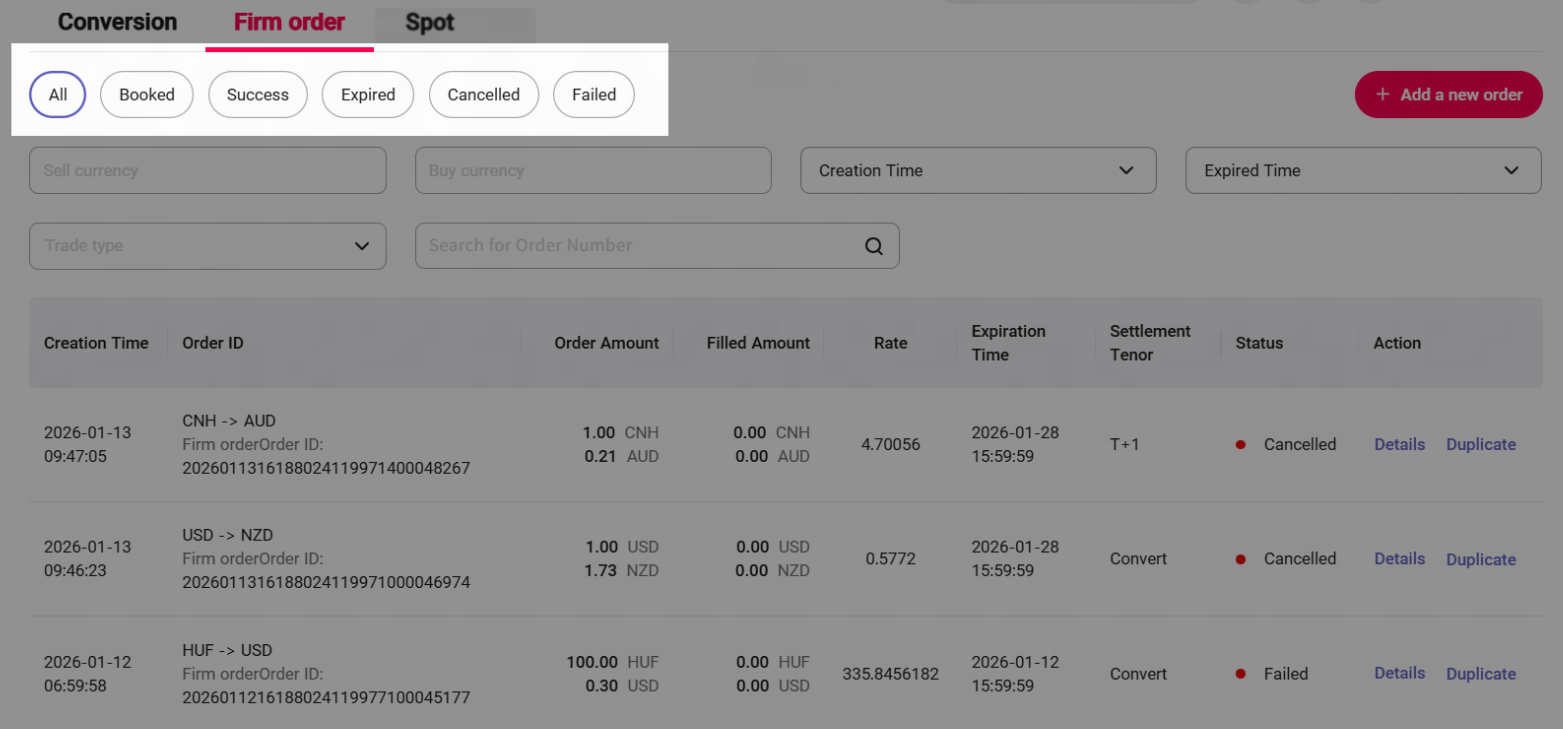
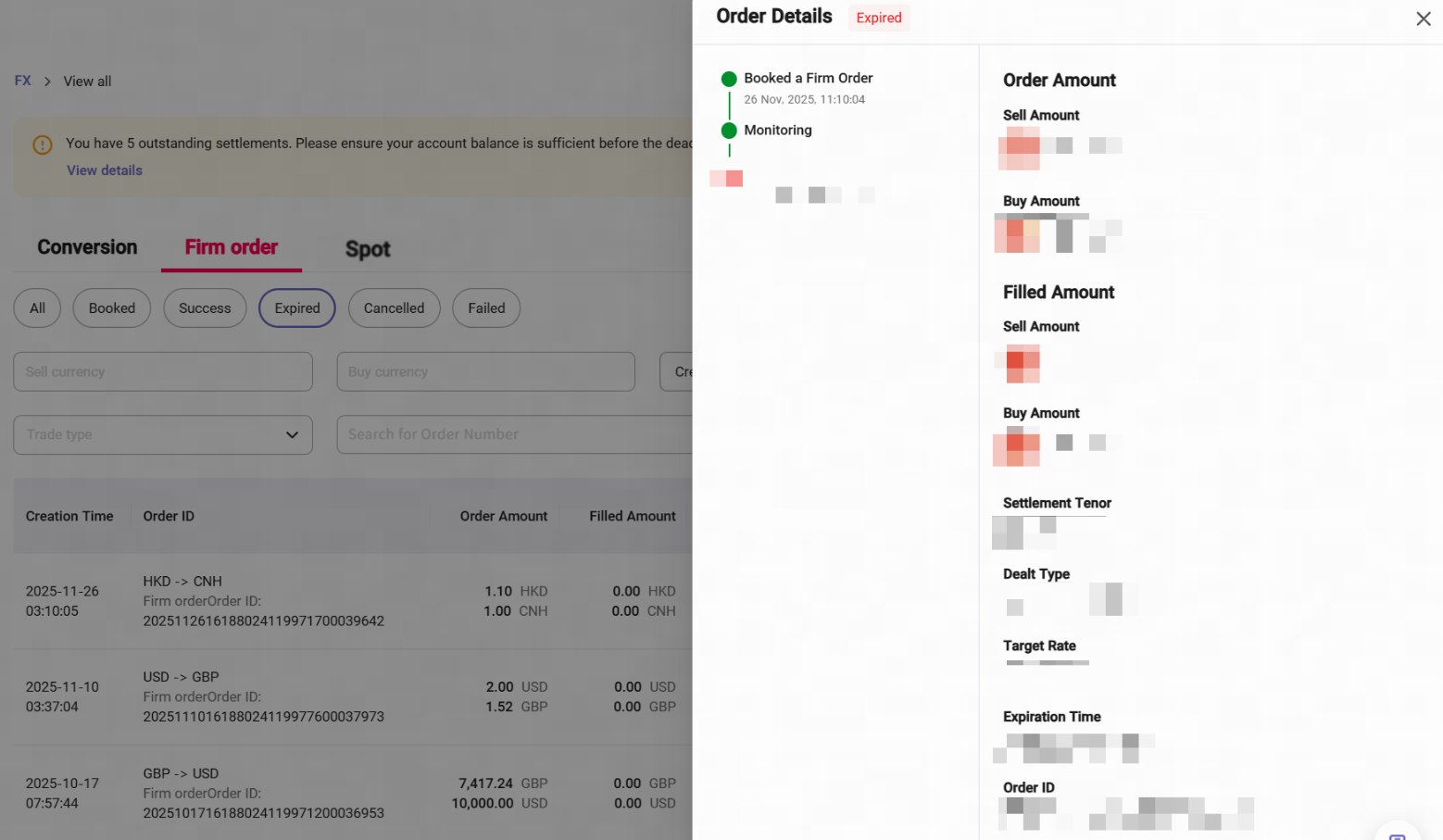
There show different status: [Booked], [Success], [Expired], [Cancelled], and [Failed].
| Click [Details] to view full order information. |
|
|
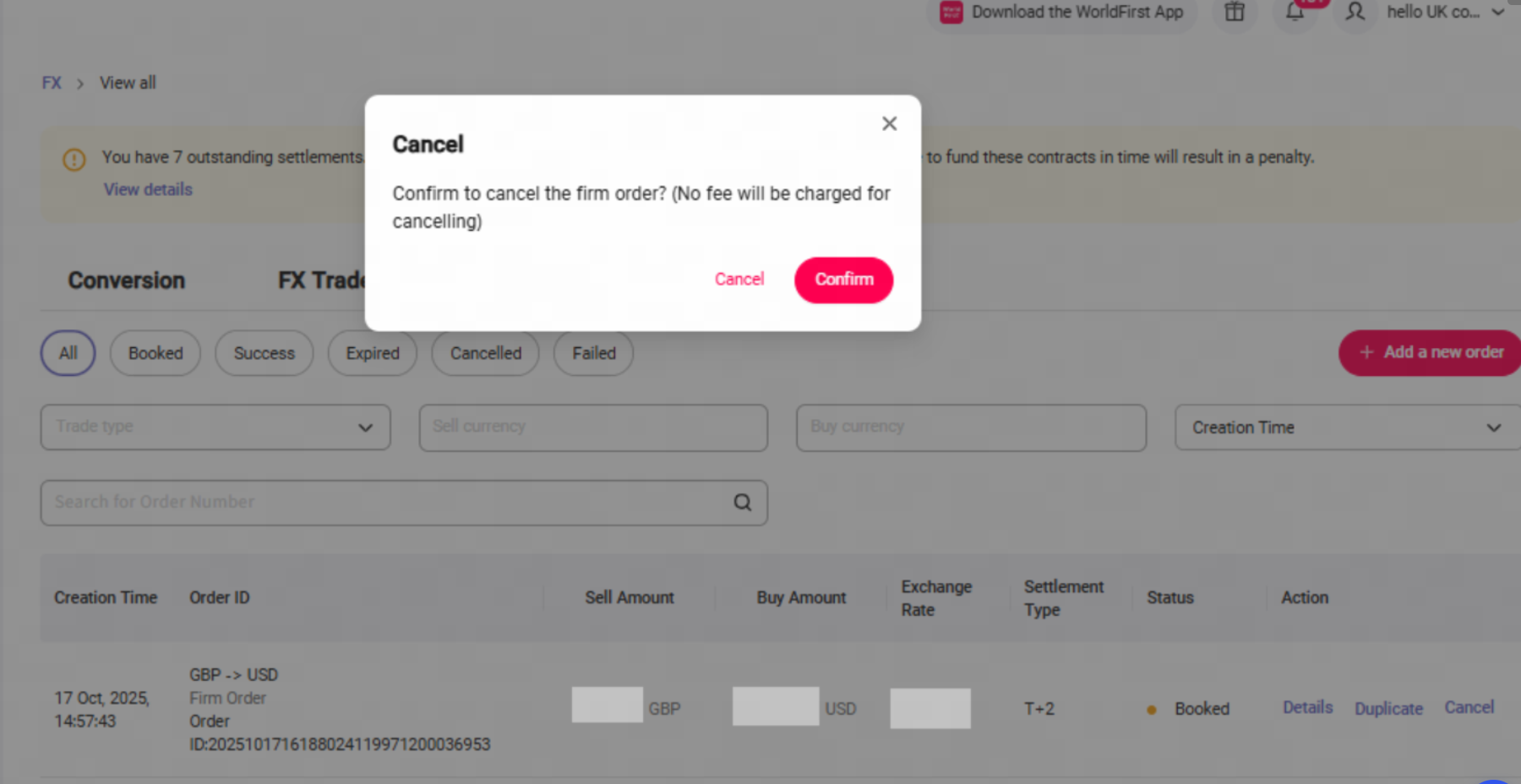
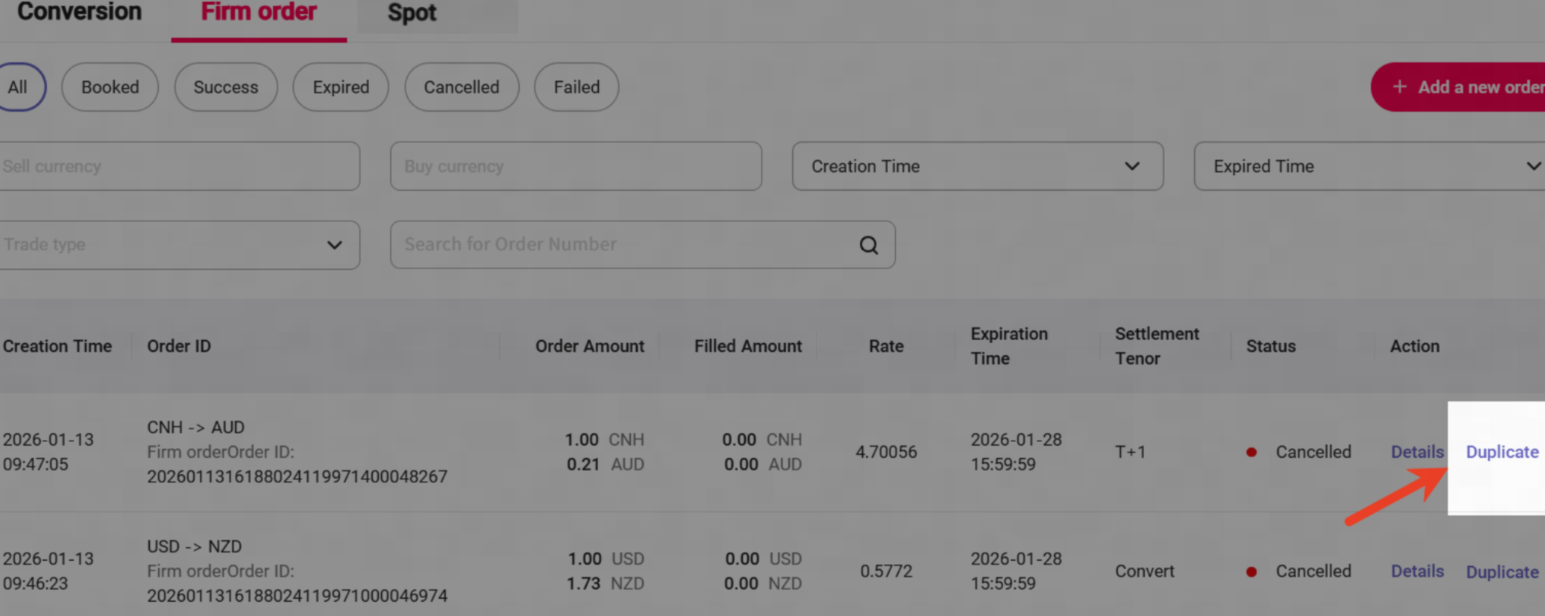
Click [Cancel] ,orders can be cancelled at any time before they are filled—no cancellation fee applies,once an order is filled, it cannot be cancelled.(If you chose "Lock rate & fund later", the spot trade triggered by the firm order can still be cancelled like a normal spot trade, a cancellation fee may apply.) | Click [Duplicate] if you would like to place a new order with same currency pairs and rates. |
|
|
FAQs
1. Are there trading limits?
- Transaction Count Limit – Maximum 15 orders outstanding for each currency pair.
- For settlement type - Lock rate & fund later, outstanding orders are subject to your per trade and total limits.
2. What is "Good Till Date"?
- This date determines how long we will monitor the market for and keep your order active (up to one month).
3. What does different firm order status mean?
- Booked: A firm order has been placed, but your target rate is not triggered yet.
- Success: Your target rate is triggered and conversation/spot trade has been placed.
- Expired: Firm order expires as your target rate is not triggered until the Good Till Date ends.
- Cancelled: Firm order has been cancelled.
- Failed: Firm order has been failed due to insufficient funds in the account.
4. Do I need have funds in my account when I place firm order?
- Convert with balance right away: Ensure your World account has sufficient balance. If the balance is insufficient when your target rate is reached, the order will fail.
- Lock rate & fund later: Not necessary, but please settle funds by the settlement date. We will lock in the triggered rate, and you'll have up to 2 business days to settle the spot trades after the order is triggered.
5. Which currency pairs are supported?
WorldFirst supports 24 sell currencies and 18 buy currencies:
Sell currencies: AUD,CAD,CNH,EUR,GBP,HKD,JPY,NZD,SGD,USD,CHF,AED,RON,MYR,NOK,HUF,DKK,THB,CZK,SAR,ZAR,MXN,PLN,SEK.
Buy currencies:
AUD,CAD,CNH,EUR,GBP,HKD,JPY,NZD,SGD,USD,CHF,SEK,PLN,MXN,CZK,NOK,DKK,MYR.
6. Are there any threshold limits for setting the target exchange rate?
- Bid side: ( 1.0001*current rate , 1.05*current rate ]
- Ask side: ( 0.95*current rate , 0.9999*current rate ]
7. How will I be notified when my target rate is reached?
- You will get email notifications when order is placed, cancelled, expired, triggered (filled).
8. Can I cancel my order or trade?
- Convert with balance right away: You can cancel any order before it is filled, free of charge. Once an order is filled, it cannot be cancelled.
- Lock rate & fund later: You can cancel any order before it is filled, free of charge. Once an order is filled, a spot trade will be booked and applicable fee (if any) will be charged for cancellation.
9. Can I place forward firm orders via the portal?
- Forward firm orders cannot currently be placed via the portal. Please contact your sales manager or our customer service team to place one.
10. Is there a limit for currency conversion?
- The sell currency has both minimum and maximum limits. The amount specified for exchange at a fixed rate cannot exceed the account balance or the maximum limit of that currency.
Sell currencies | Minimum limit | Maximum amount limits by level |
USD | 100 | T0-100W USD T1-50W USD T2-20W USD T3-10W USD T4-5W USD |
EUR | 100 | |
HKD | 100 | |
CNH | 100 | |
JPY | 10000 | |
AUD | 100 | |
NZD | 100 | |
SGD | 100 | |
GBP | 100 | |
CAD | 100 | |
AED | 100 | |
MXN | 100 |