
FX Spot
When you see a market rate you want to convert at, but you don't currently have enough funds in your WorldFirst account, you can book an FX spot trade to lock that rate for up to 2 days whilst you settle your trade. Key features:
|
Access Spot
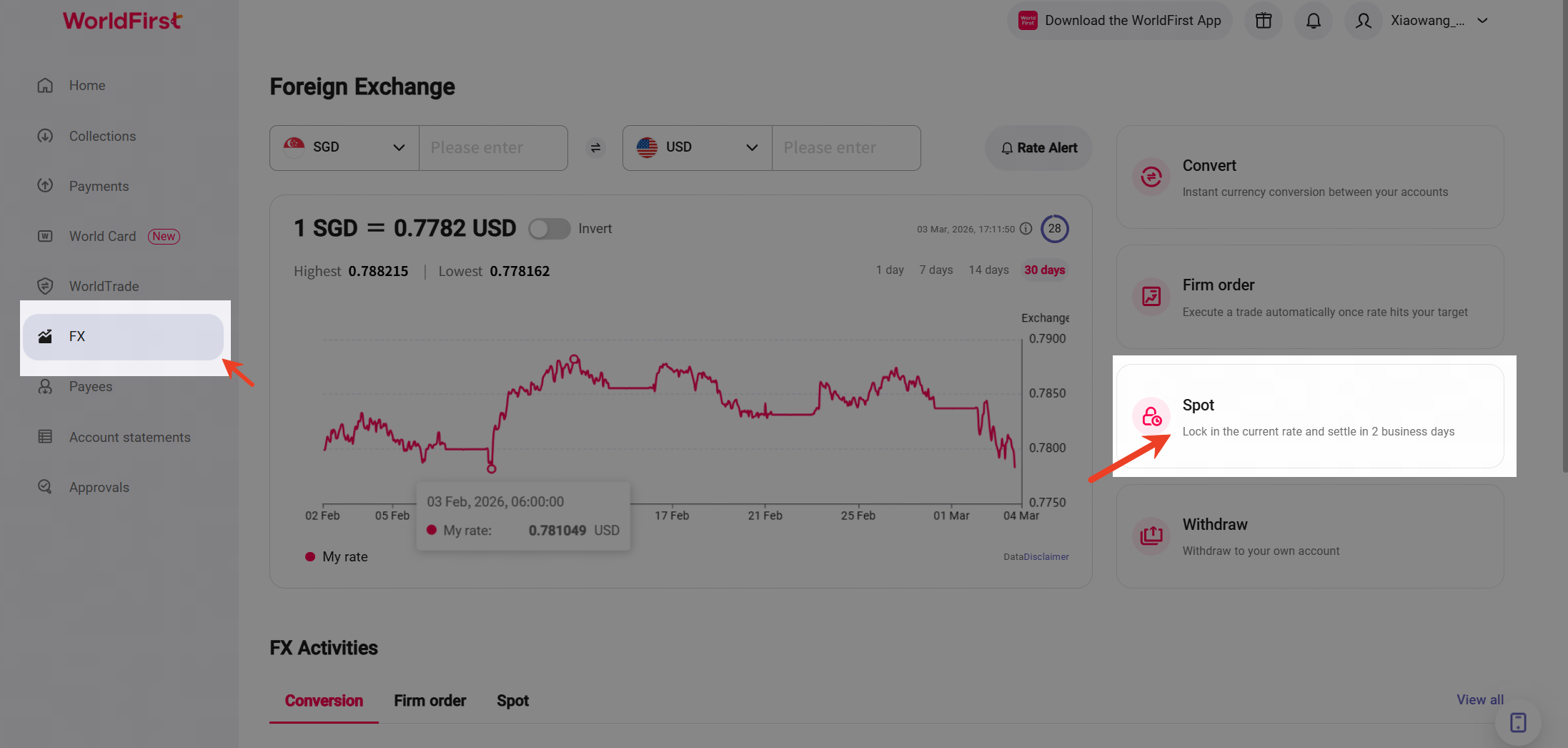
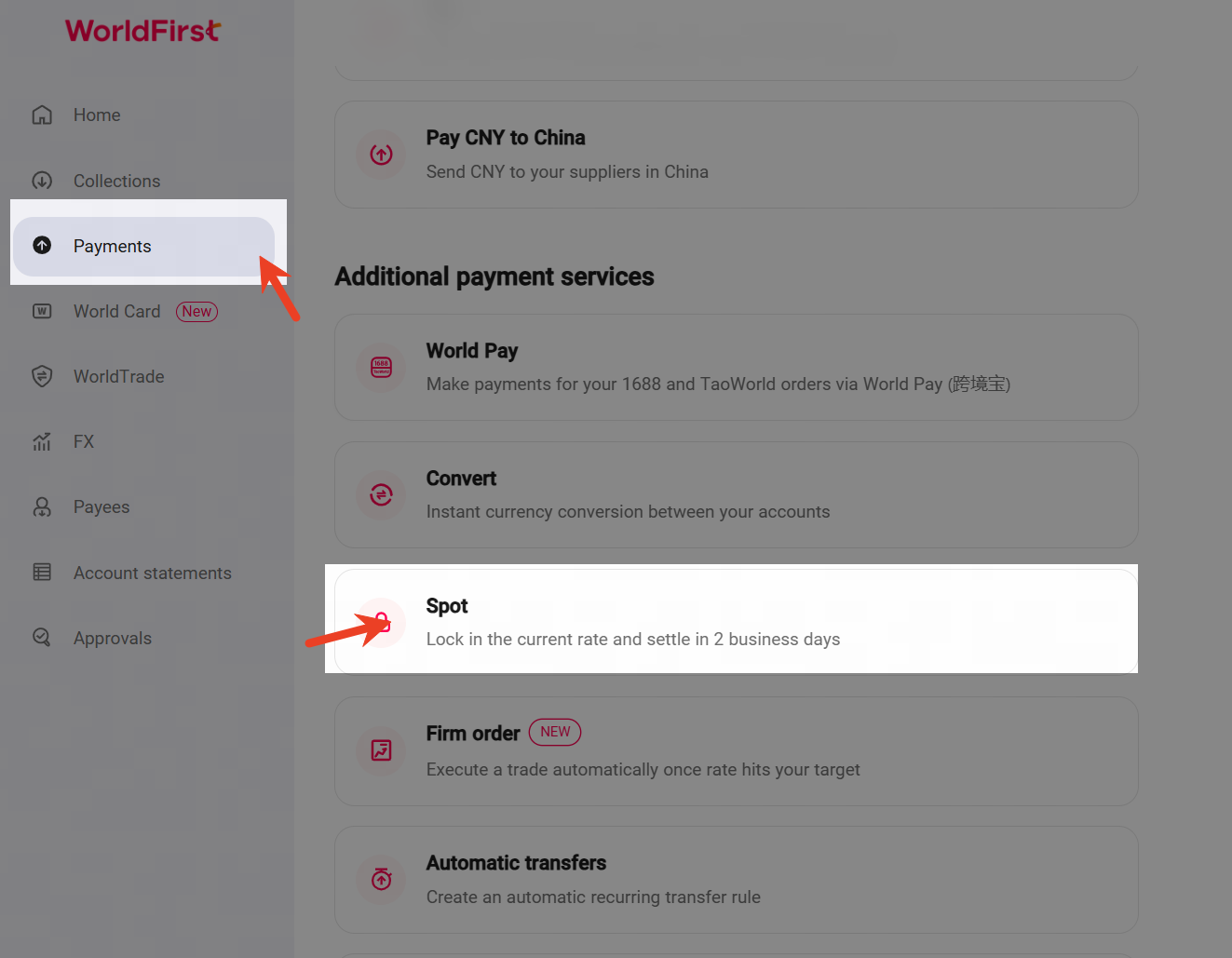
- In WorldFirst portal,Click [ FX ] section via the navigation bar,or you can go to [ Payments ] > [ Spot ].
|
|
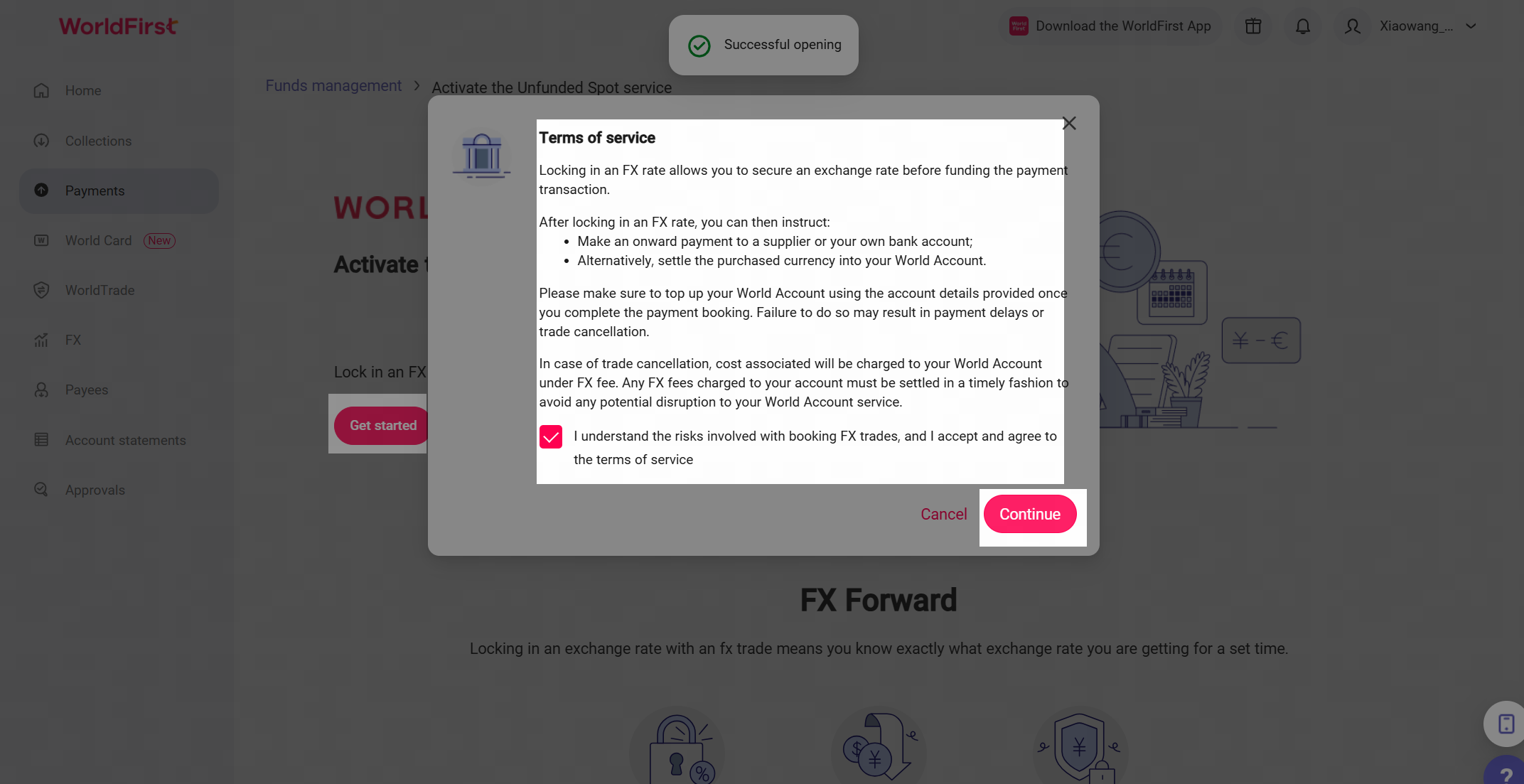
2.When you visit Spot for the first time, please read the [Terms of Service], tick the box to agree, and click [Continue] to proceed to the Spot trading page.
Book Spot trade
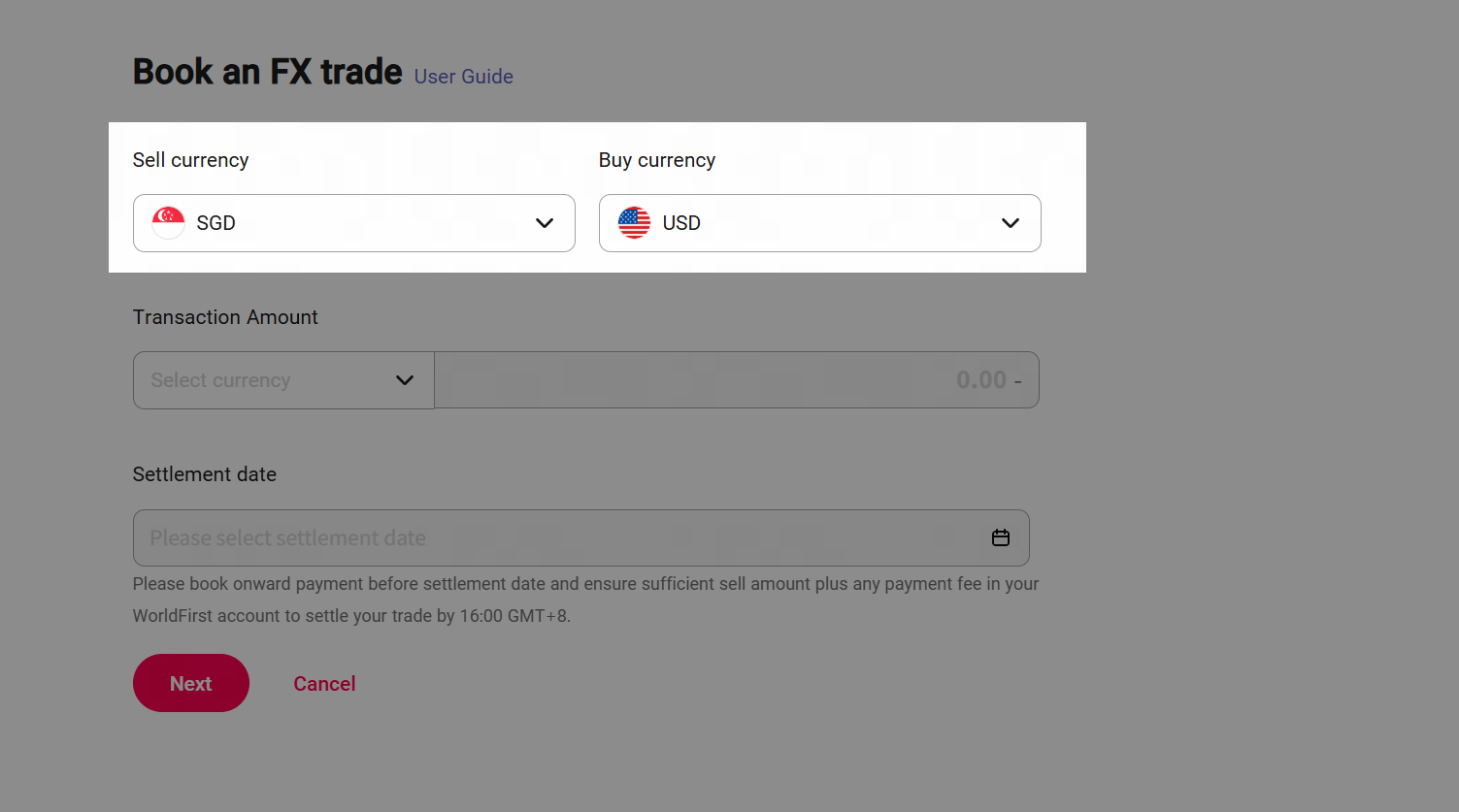
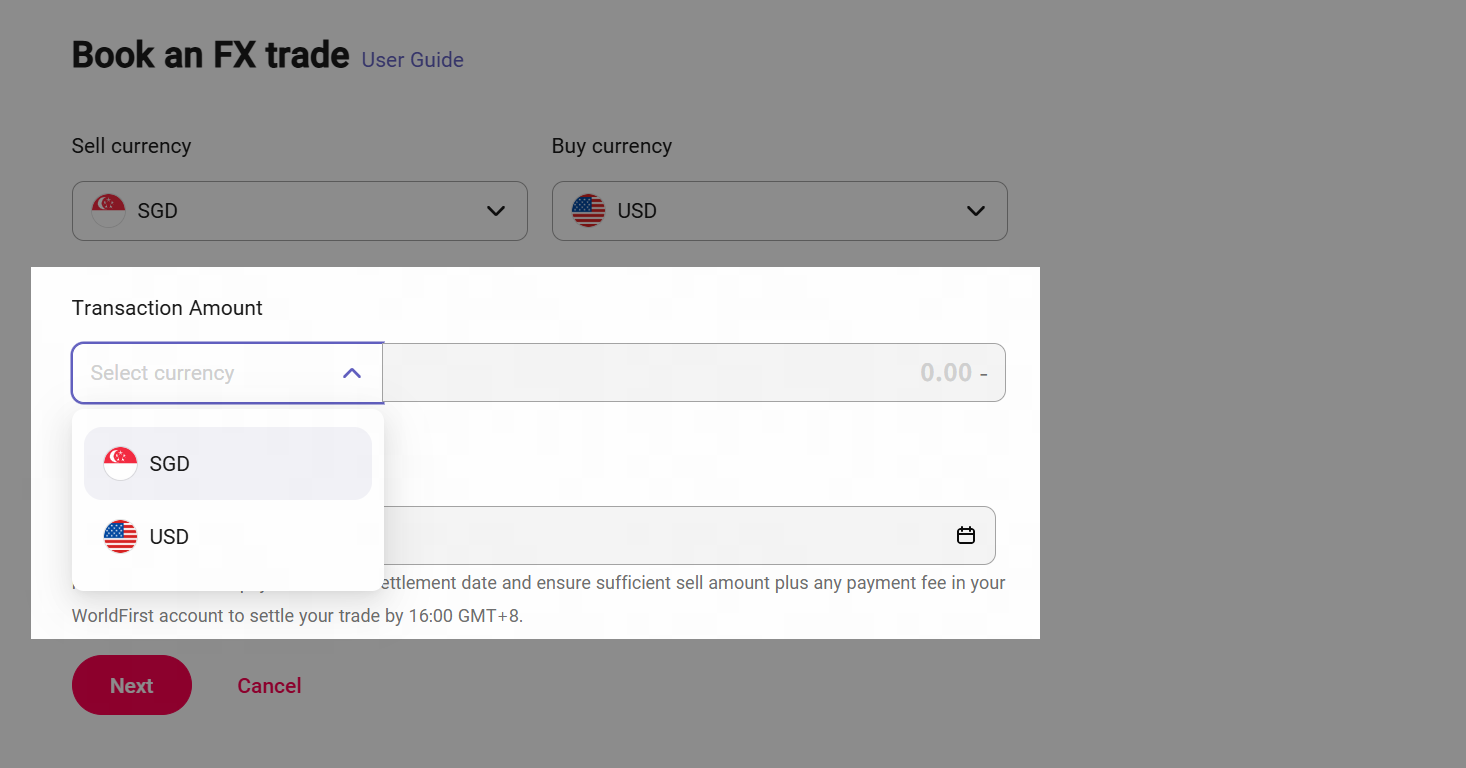
Step 1: Select your buy and sell currencies. *WorldFirst Supports 16 sell currencies and 20 buy currencies.
| Step 2: Enter either the amount you wish to convert (sell) or the amount you wish to buy. *The total per trade unfunded Spot transaction limit is 50,000.00 USD. If you want to change the total amount you can contact us buy phone or emai⬇️ Email: seaclients@service.worldfirst.com Phone No: +65 6805 4380 |
|
|
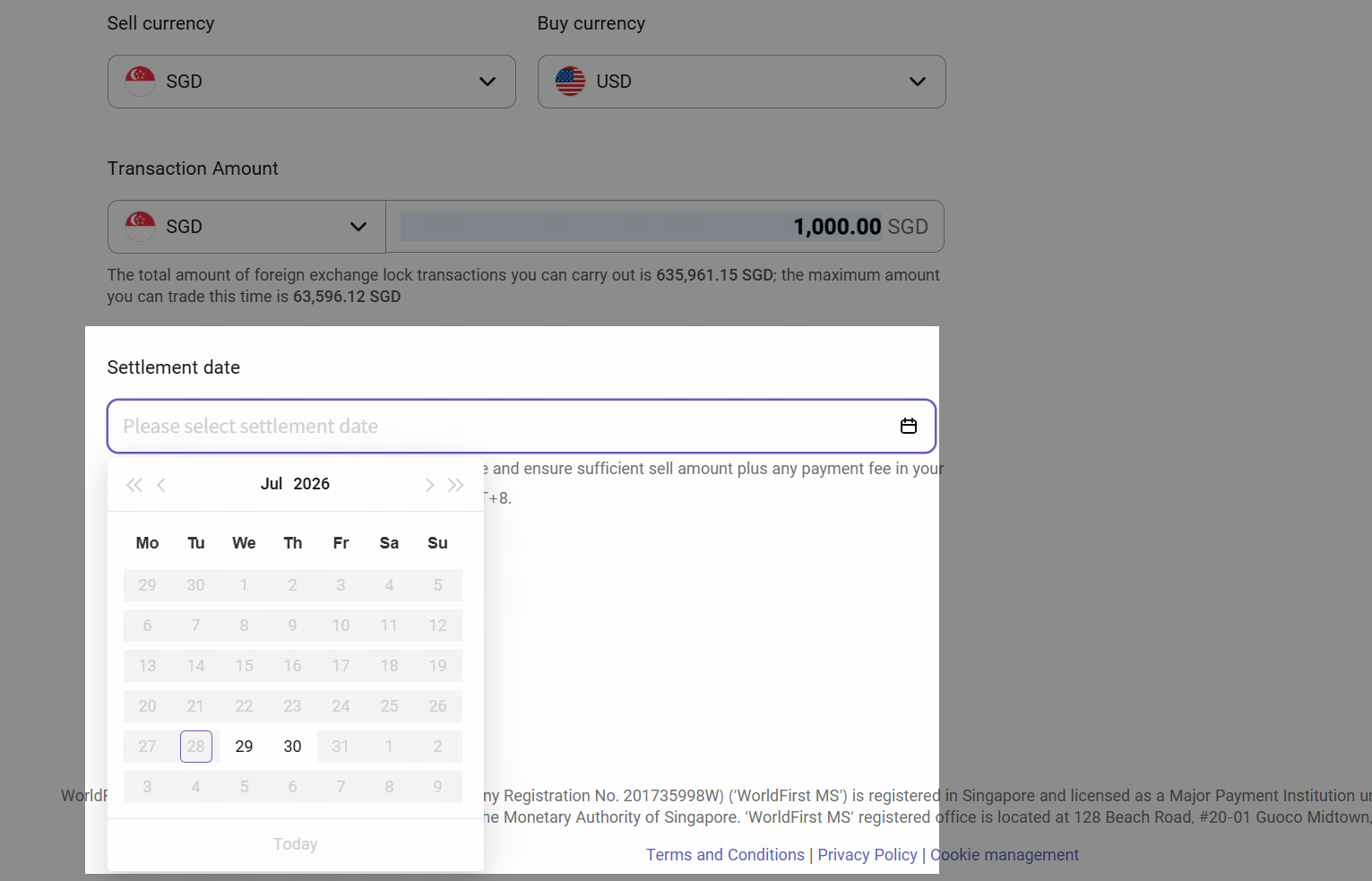
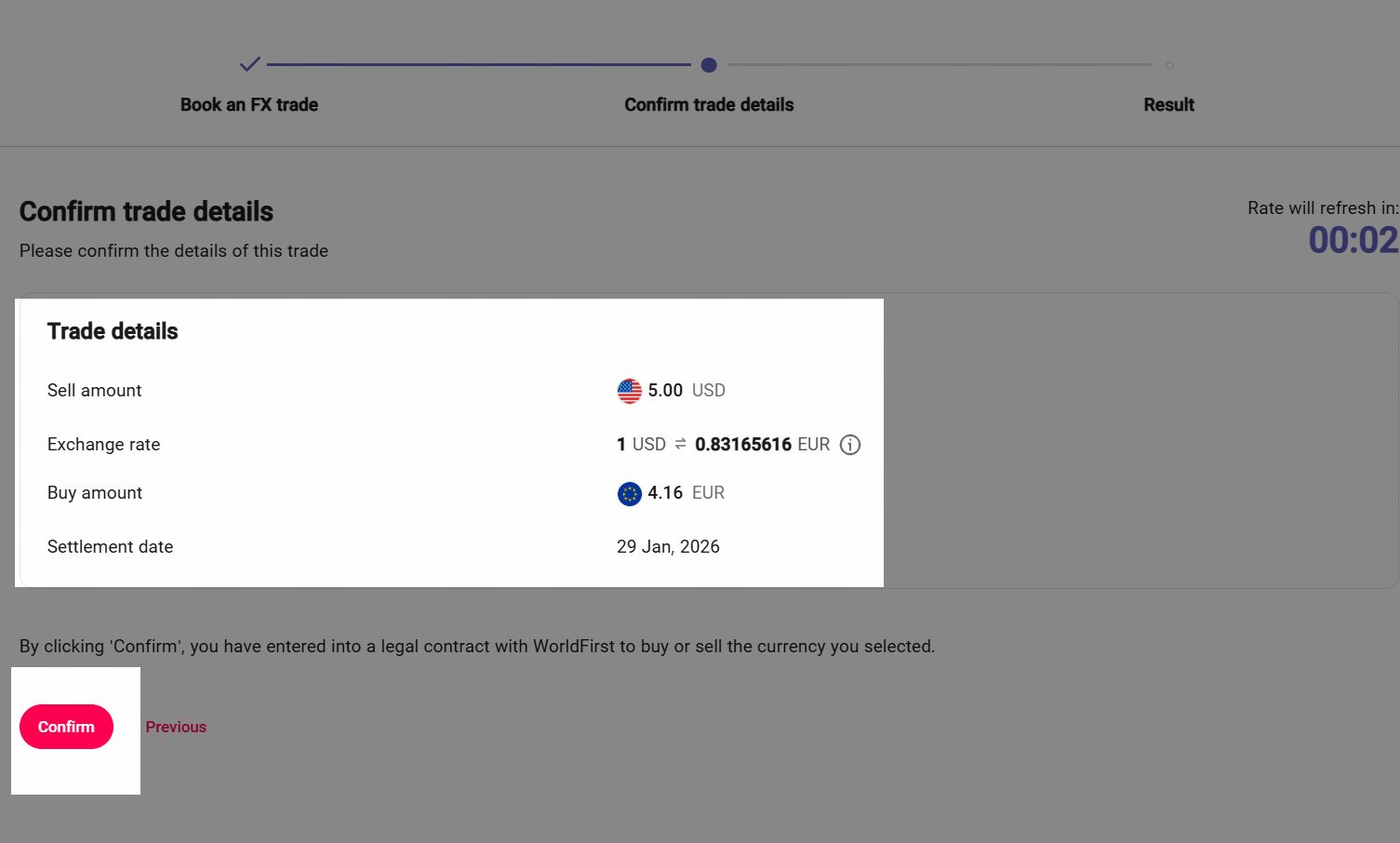
Step 3: Choose your settlement date *If you would like to make a payment from your buy currency, please ensure you book your onward payment before your settlement date, and send in your sell currency plus any required payment fees to ensure there are no delays to your payment. | Step 4: Click [ Next ] to review your trade details and if you are happy with them, click [Confirm trade]. All done! Your FX spot trade is now booked, and your rate will be valid until your settlement date. Please ensure you top up your account before your settlement date, as failure to settle your trade will result in a cancellation and you may incur a fee. |
|
|
View or cancel Spot trades
Once you've successfully booked the fx trade (unfunded spot), and would like to view trade information or see the status of Spot trade,please follow the steps below⬇️
- View details
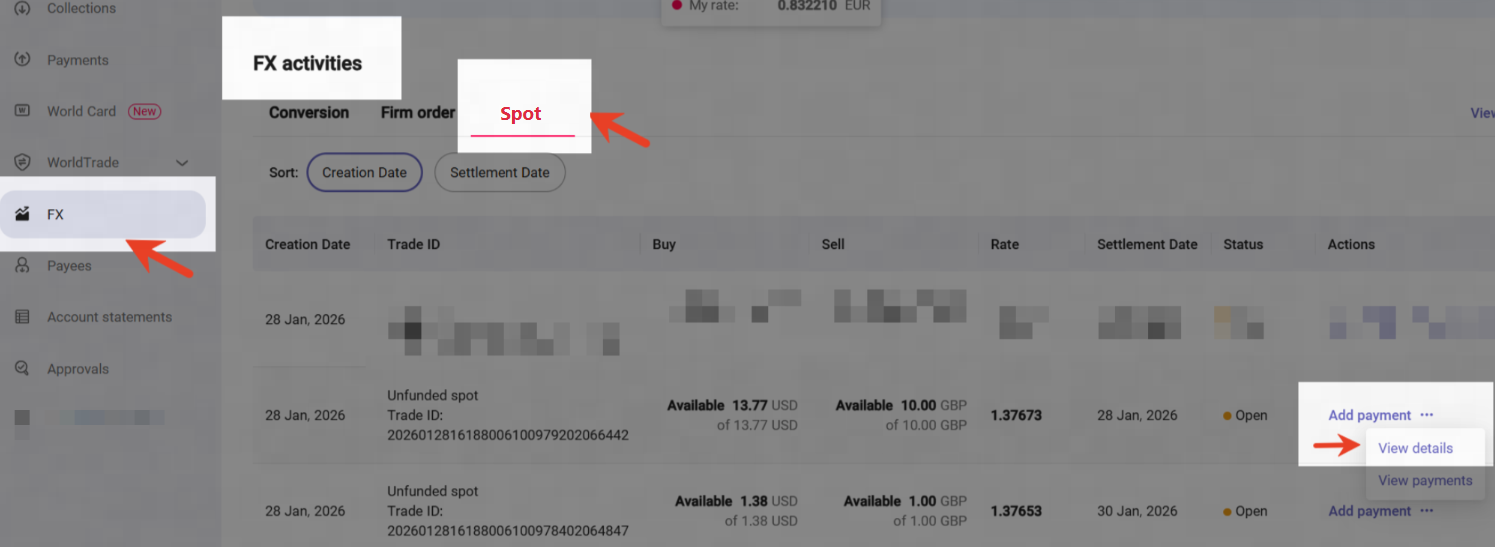
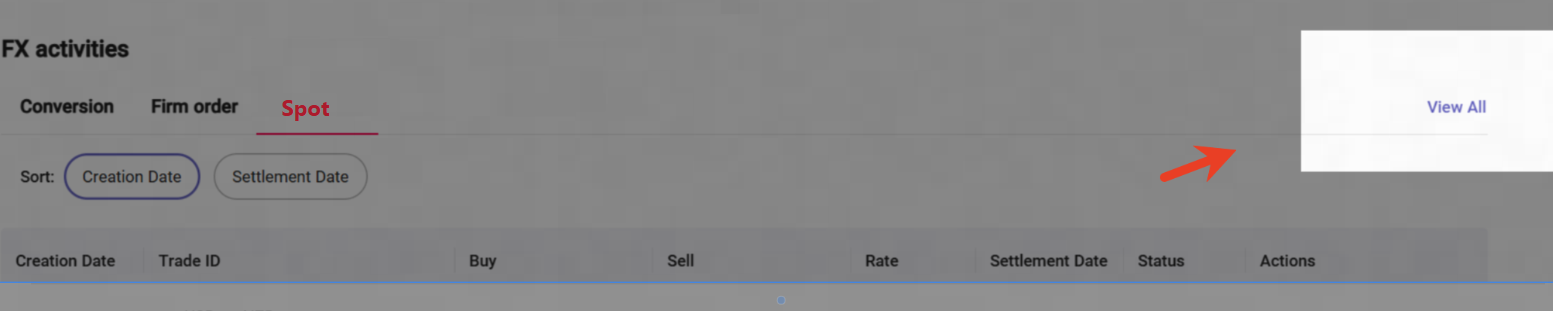
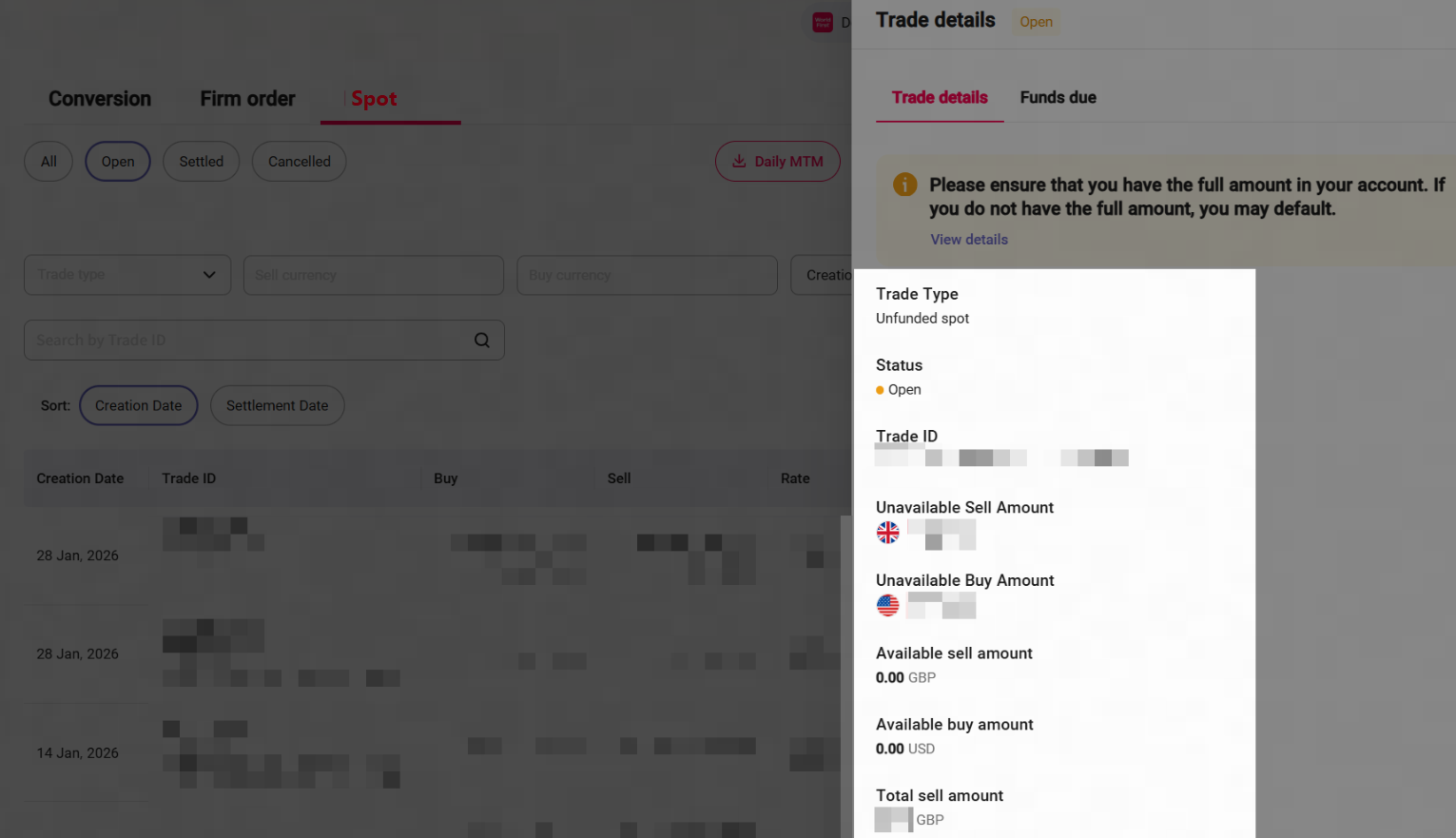
Step 1: Click [ FX ] > [FX activities] > [Spot] you will see your order. *If you cannot find your order,you can also click [view all] in the top right corner of the page. | Step 2: Click [View Details] to see your trade information. You can view information of all your trades here, regardless of their status. |
|
|
- Cancel Spot Trades
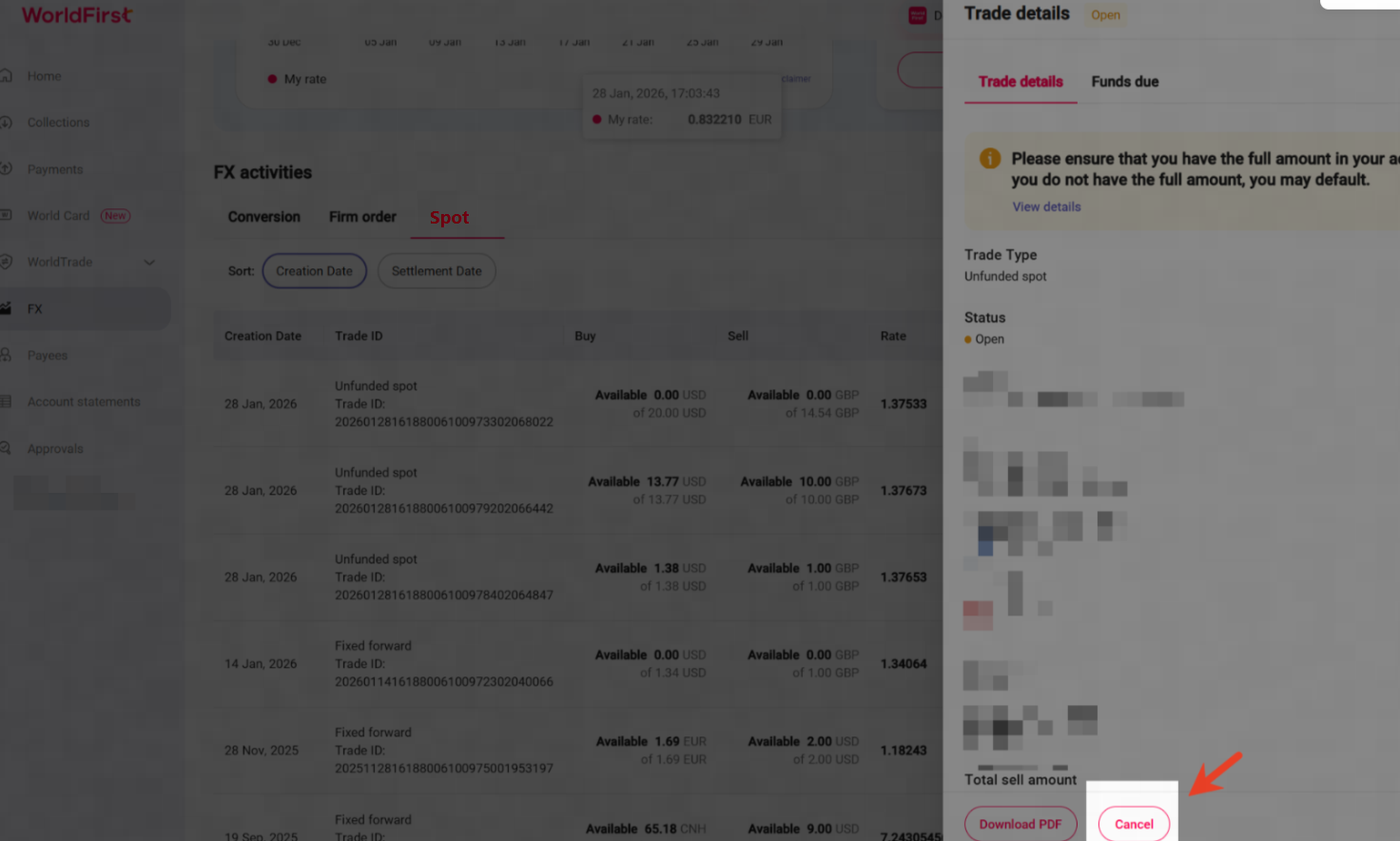
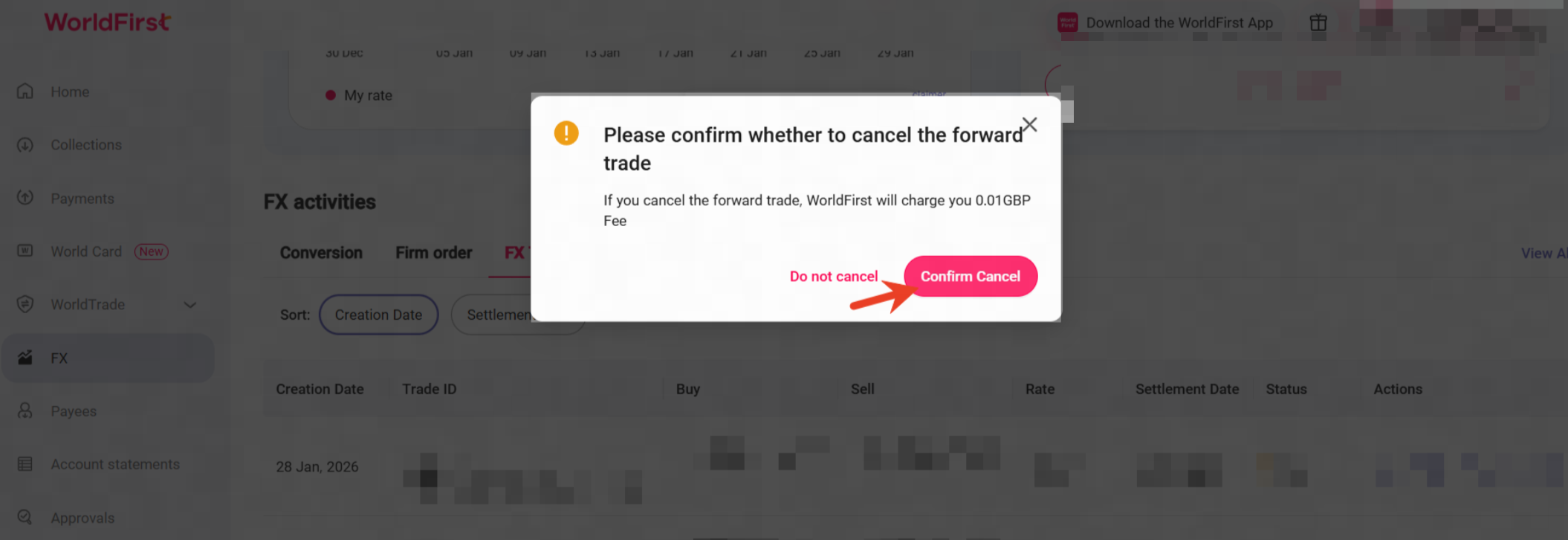
Step 1: Click [ FX ] > [FX activities] > [Spot],and click [View Details] > [Cancel]. | Step 2: Click [Confirm Cancel] to confirm your are cancelling your trade and have accepted any associated fees. *If there is an applicable fee to cancel your trade it will be displayed here. |
|
|
Add payments
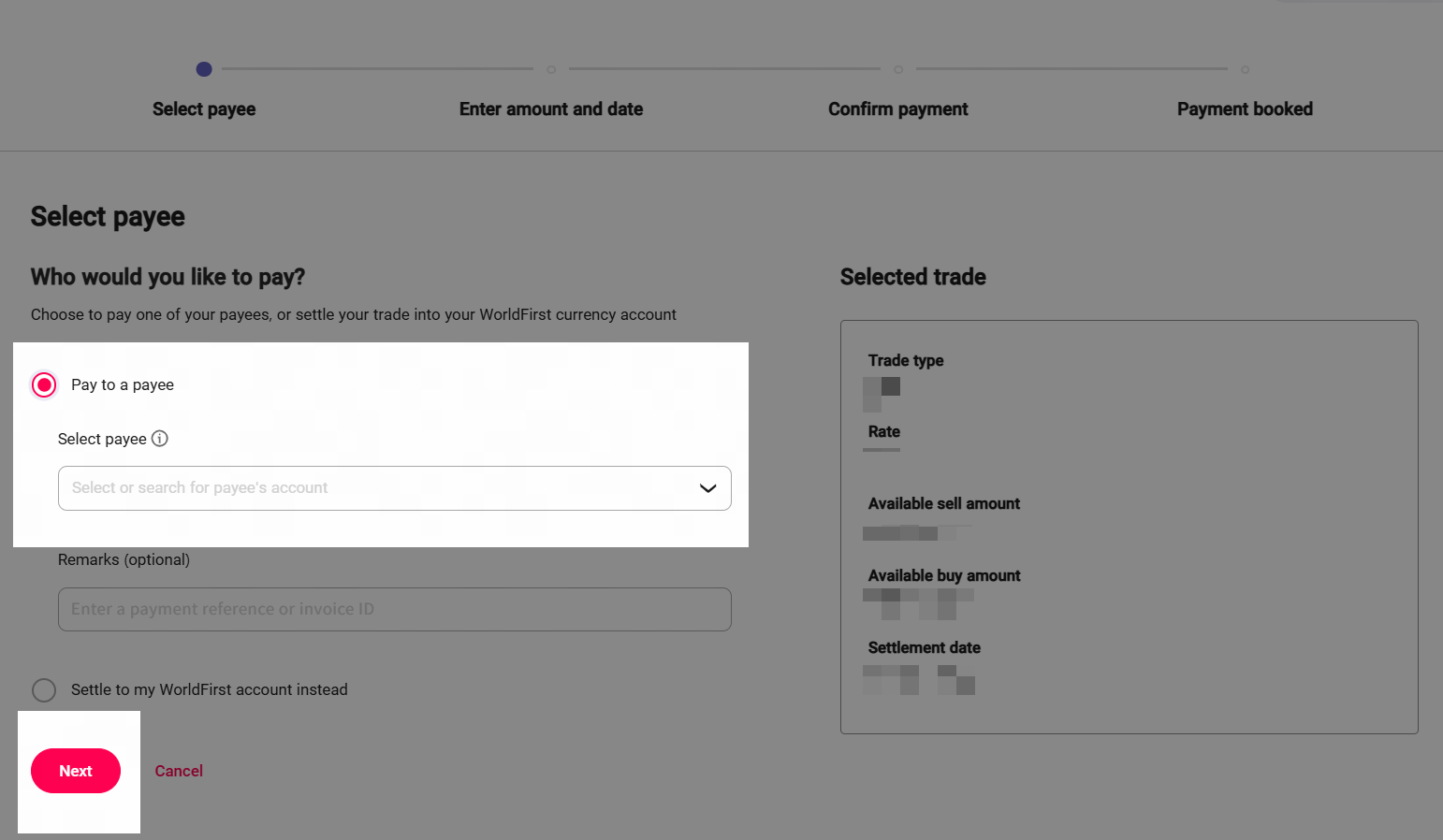
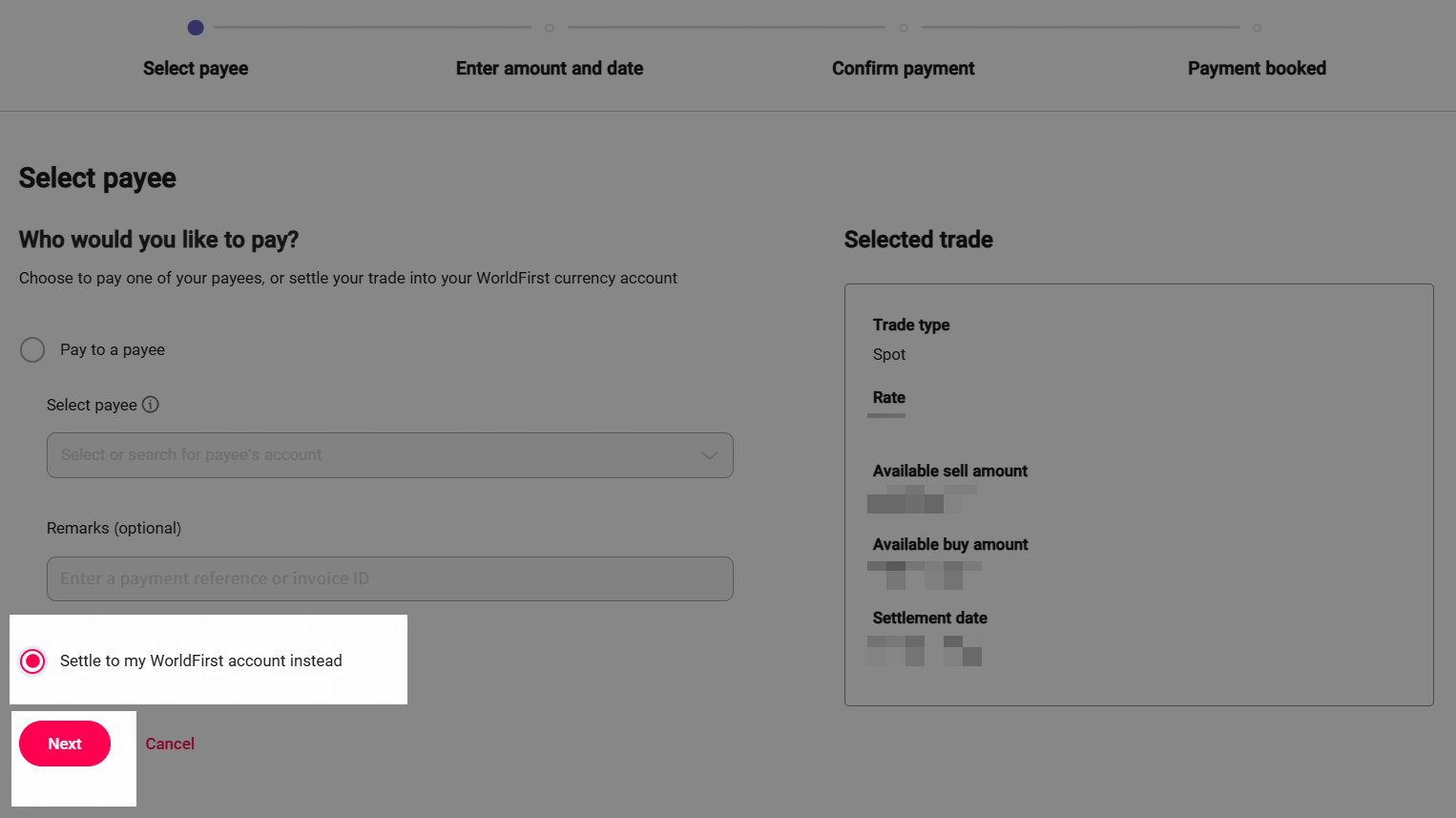
Once you have successfully booked your trade, your rate will be valid until your settlement date. In the meantime you can add a payment to your trade, to utilise your booked rate for an onward payment - or to settle your trade to your WorldFirst balance in the buy currency.
If you do not set up a payment, the buy currency will automatically settle into your WorldFirst account, if you have a corresponding currency account. In cases where you do not have a currency account in your buy currency, the trade will be cancelled and you may incur a fee.
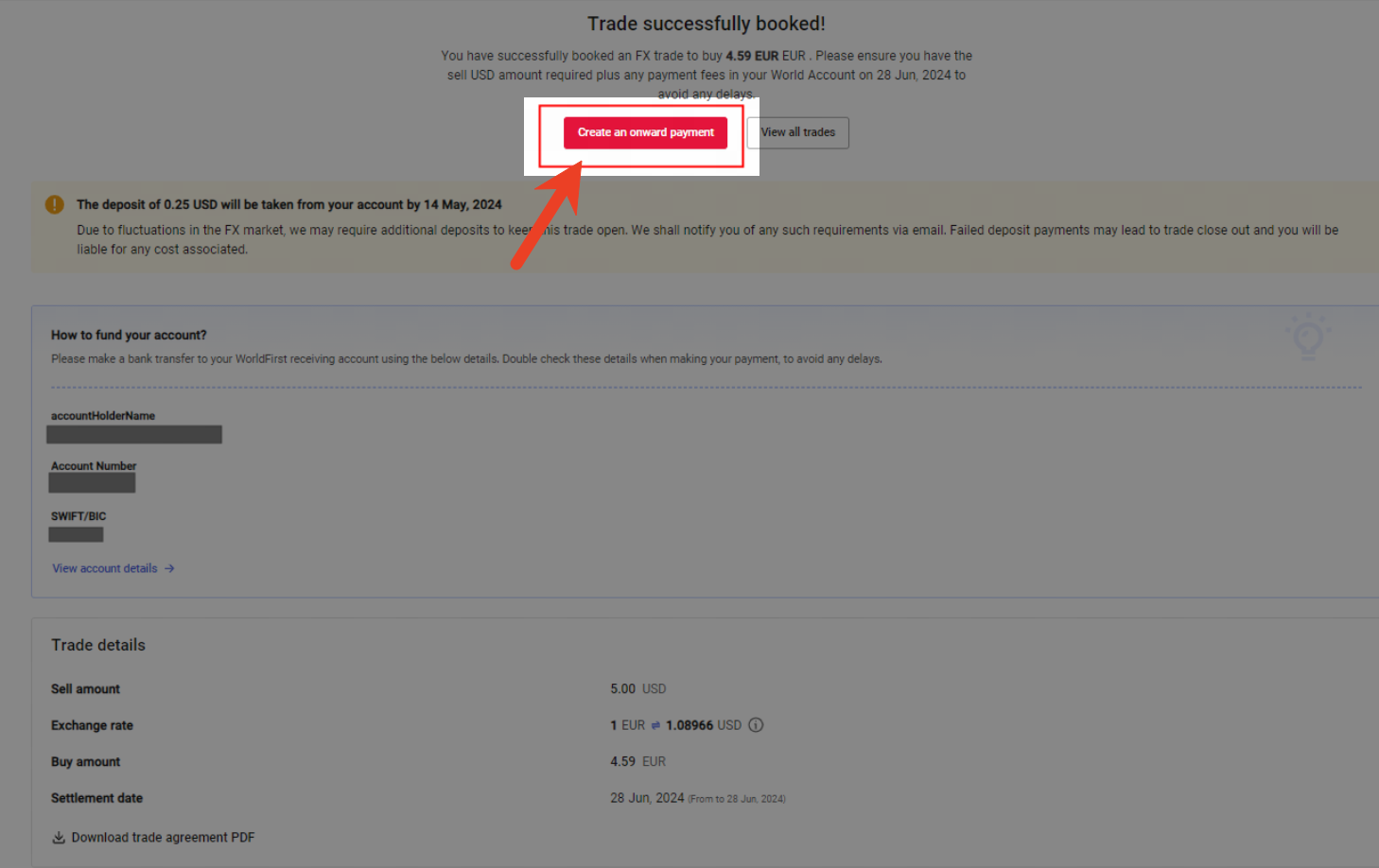
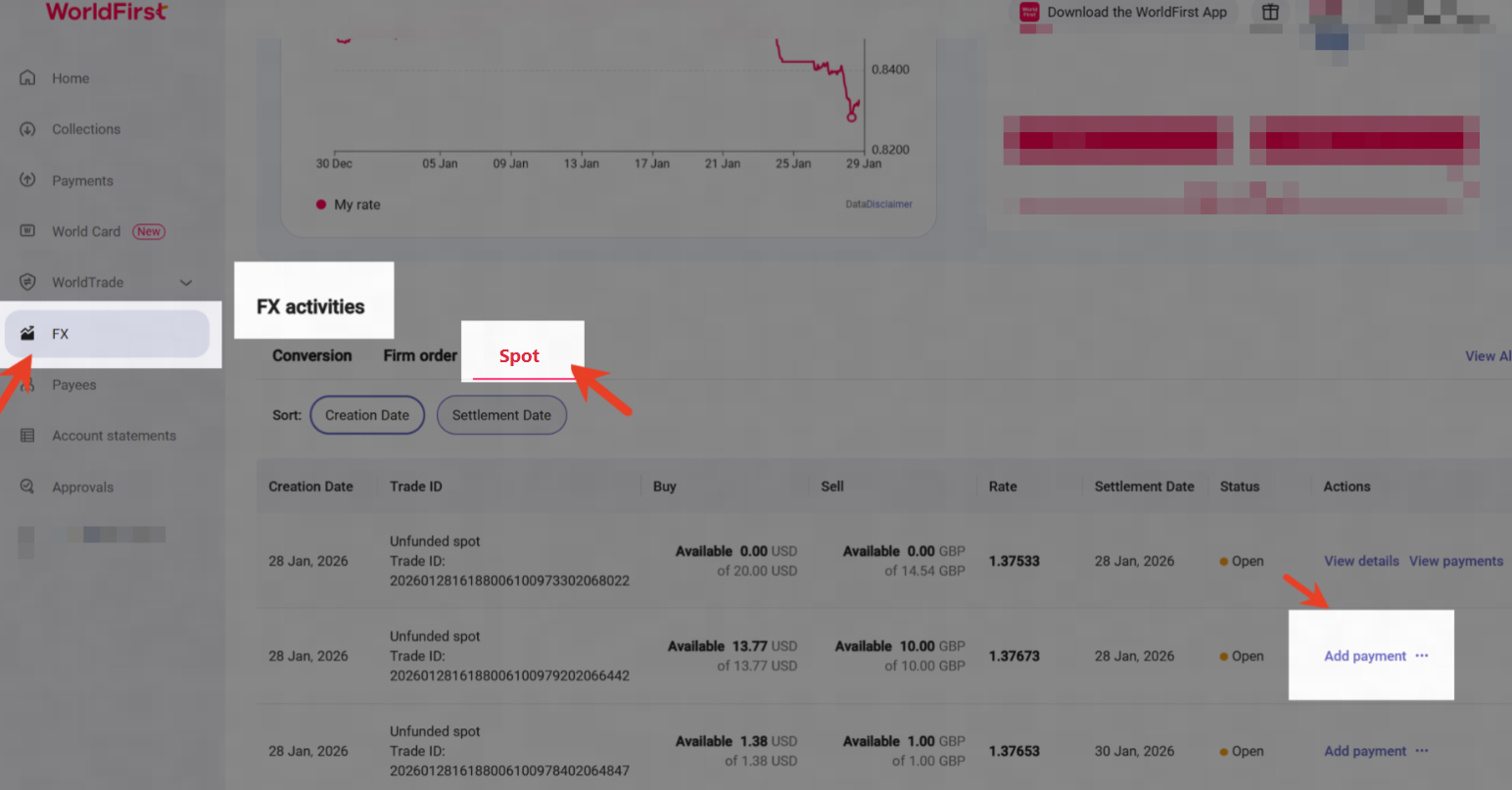
Step 1: To add a payment to your trade, you can follow one of the below steps:
| Step 2:
|
|
|
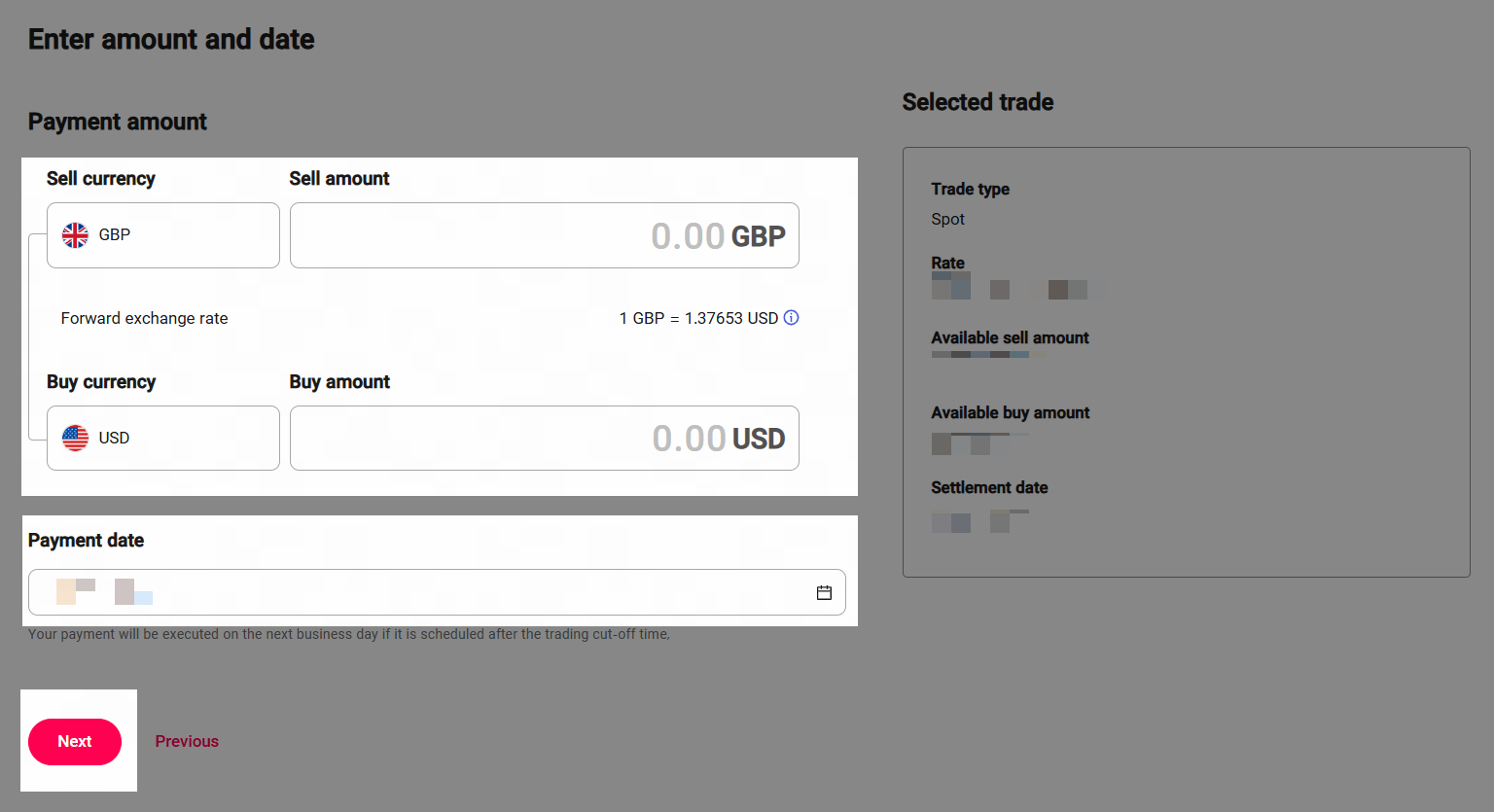
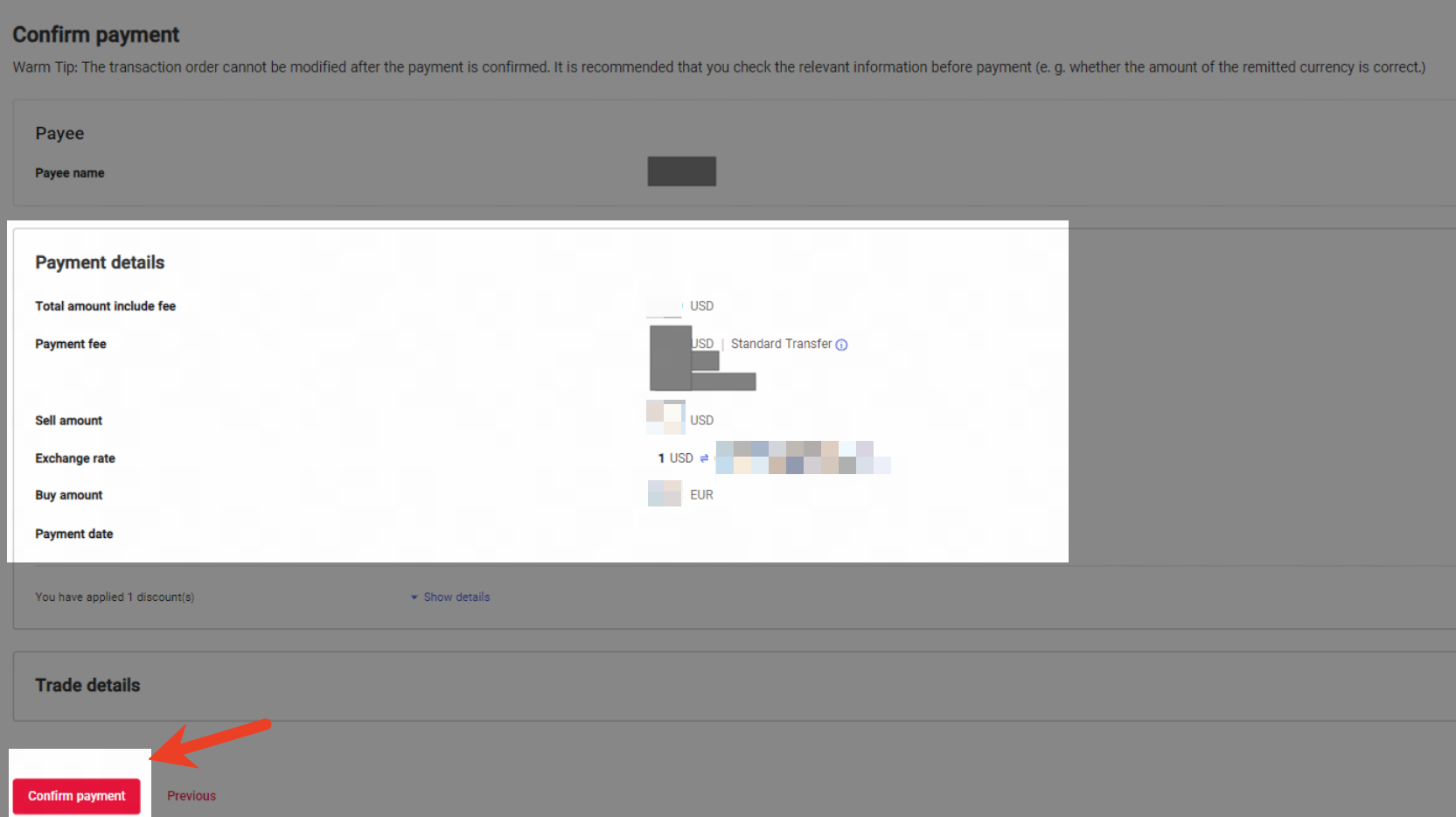
Step 3: Enter the payment amount, and click [Next], you will then need to verify your payment via Authy or SMS code. *Your payment amount does not need to be the full buy amount of your FX spot trade, you may add multiple payments to your trade to fully utlise your buy amount. IF you have residual buy currency left on your trade after booking your payments, the remainder will automatically settle into your WorldFirst balance. | Step 4: Review your payment and click confirm if you are happy to proceed [Confirm payment] |
|
|
FAQs
1. Is an FX spot trade an FX contract?
- Yes, an FX spot trade is an FX contract. This means that you are contractually obliged to settle this trade by the agreed settlement date, once you have booked your trade. You will need to ensure that you have sufficient sell currency balance on your WorldFirst account by your settlement date, to avoid any risks of cancellation and incurring fees.
2. Are there any trading limits?
- Your default per trade limit is 50,000 USD, while the total outstanding trading limit is 500,000 USD.
- If you would like to change the trading limits, pls contact us by phone or emai:
Email: seaclients@service.worldfirst.com
Phone No: +65 6805 4380
3. Do I need to pay a deposit when I book an FX spot trade?
- No. You do not need to pay any deposit or margin for an FX spot trade.
4. Which currency pairs are available for FX trades?
WorldFirst Supported16 sell currencies and 20 buy currencies.
- To sell: GBP, USD, EUR, CNH, HKD, JPY, SGD, CAD, AUD, NZD, AED, CHF, PLN, SEK,THB, MXN.
- To buy: GBP, USD, EUR, CNH, HKD, JPY, SGD, CAD, AUD, NZD, AED, CHF, PLN, SEK, CZK, NOK, THB, ZAR, MYR, MXN.
5. Can I use part of my trade for a payment?
- Yes, you can utilise a portion of your trade for an outgoing payment, you can also add as many payment as you want to your trade, as long as the total amount you are paying out does not exceed your trade buy amount.
6. Is there a fee for cancelling my FX trade?
- When WorldFirst cancel your FX trade, we will need to sell your booked currency back to the market at the current rate. As a result of this there is the potential that we will incurr an FX loss due to the rate moving from the point at which your trade was booked.
- As per our Terms and Conditions, and as part of the contractual agreement made at the point of your trade being booked, you will be liable to cover any loss made as part of cancelling your FX trade.
7. Will I be reminded to fund my account?
- Yes. If you do not have sufficient funds in your WorldFirst account on your settlement date we will send you a reminder to top up your account via email.
8. What happens if I do not settle my FX trade in time?
- If you do not settle your FX spot trade by your settlement date, your trade will be cancelled and you may incur a fee.
9. Can I settle my FX spot trade early?
- No, whilst you can fund your WorldFirst account early, your conversion will not take place until your settlement date.
10. If I do not add a payment to my FX trade when will the conversion take place?
- If you do not add a payment to your FX trade, and you have a corresponding buy curency account, the conversion will take place at 16:00 GMT on your settlement date.