万里汇(WorldFirst)万里汇(WorldFirst)

Set Rate Alert

Rate alerts notify you the moment your target exchange rate is reached, helping you convert your funds at a rate you're happy with and avoid missing opportunities.

Access rate alert

  1. Click on [FX] via the navigation bar
  2. Click the [Set Rate Alert] button (🔔 icon) in the top-right corner.
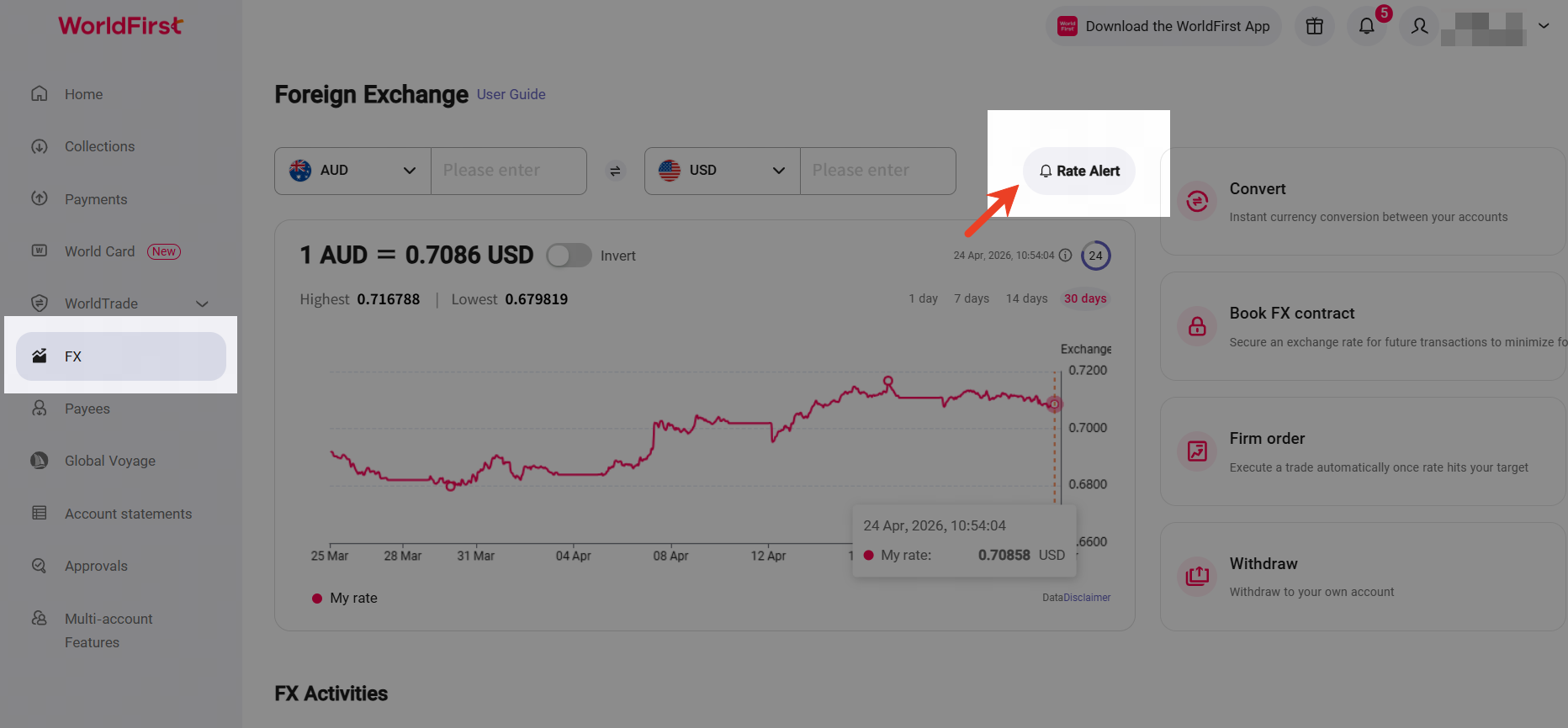
image.png

Set rate alert

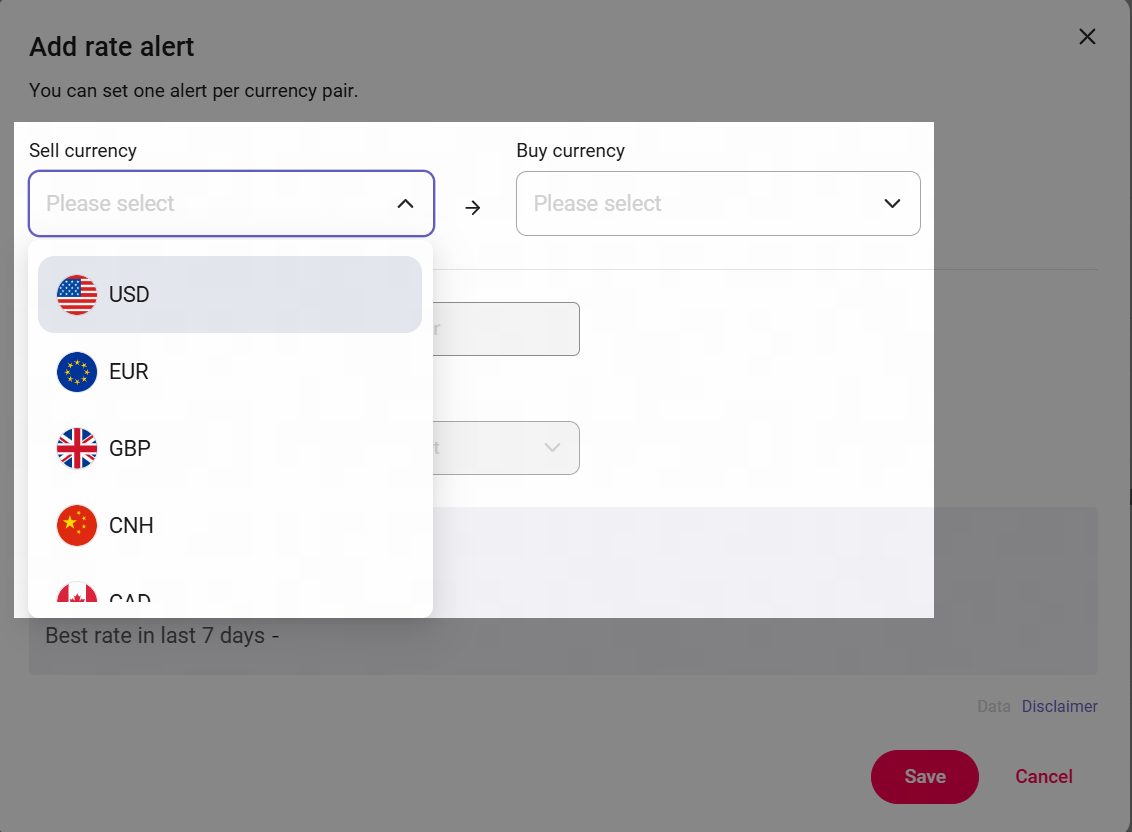
  1. Click [ + Add rate alert ] to configure your desired currency pair and target rates.
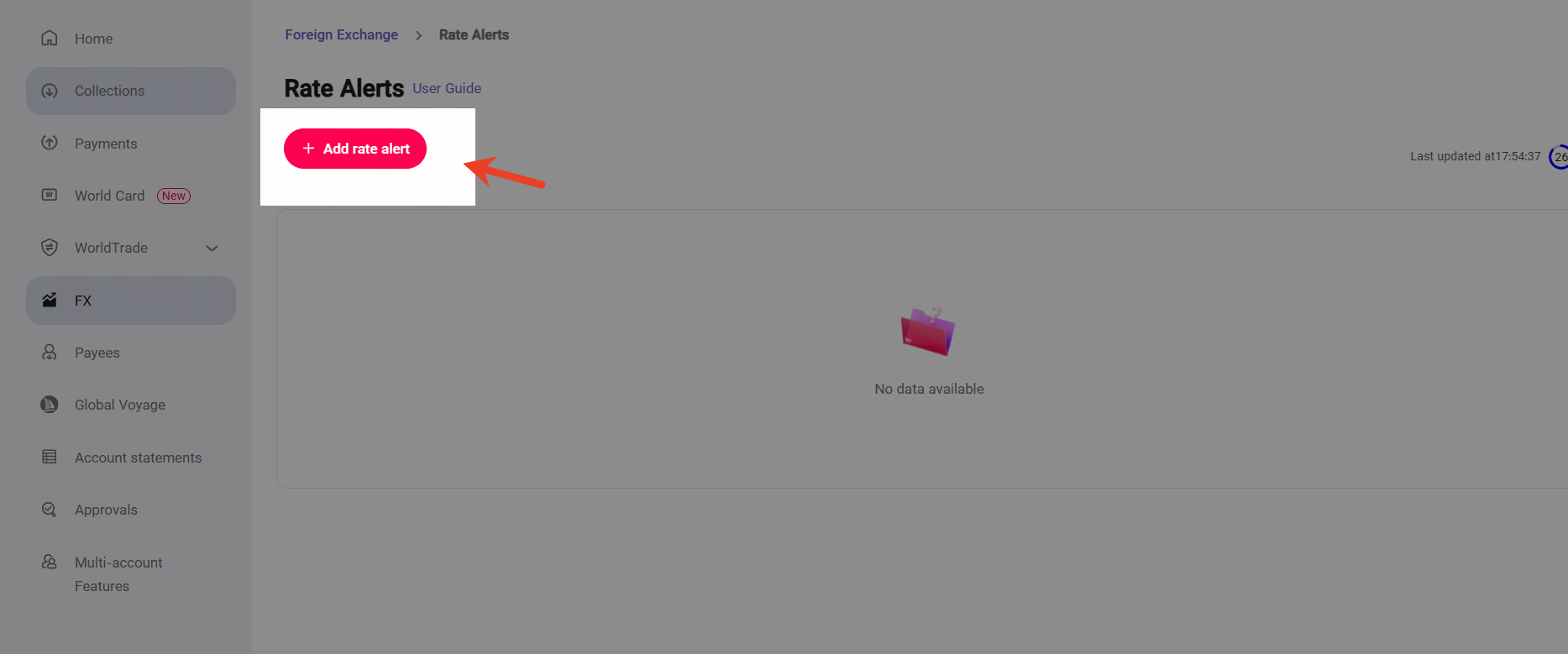
image.png

  1. Fill in the currency pair for which you wish to set an alert for. You can set one alert per currency pair.
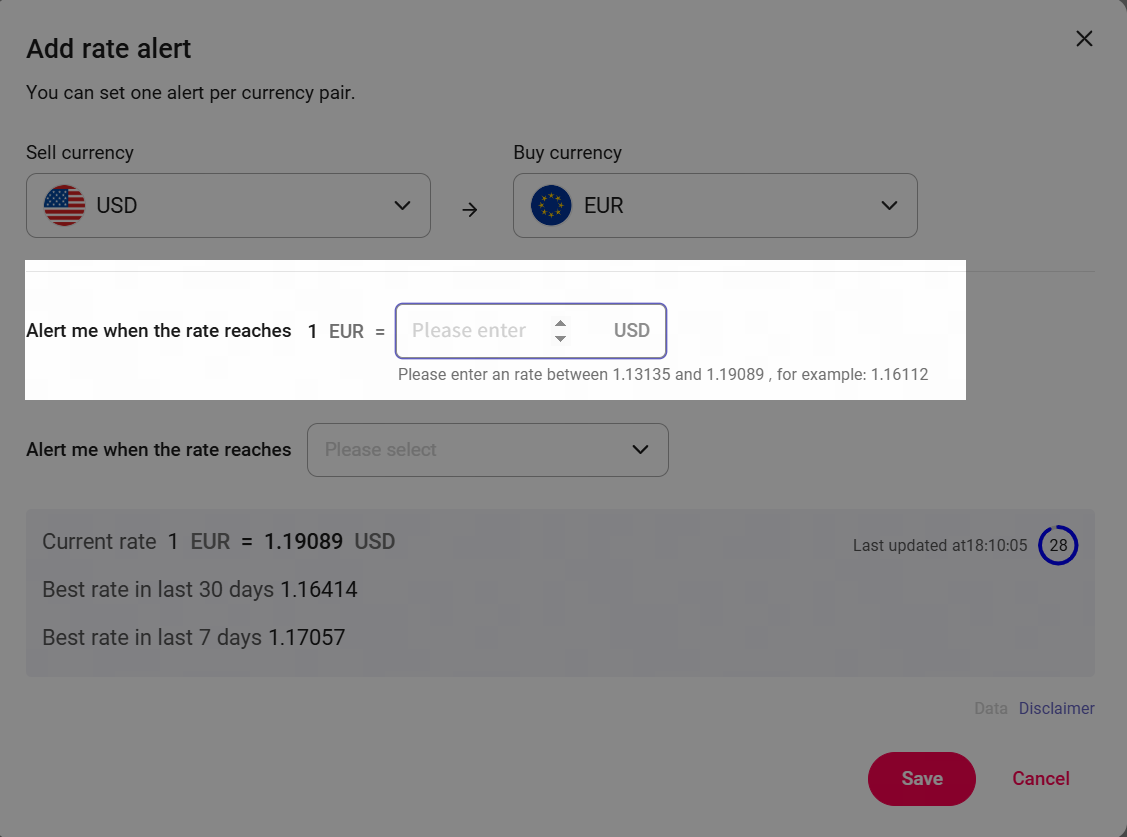
  1. Enter your target exchange rate, or you can leave this blank if you would like to use the next set of options.

image.png

image.png

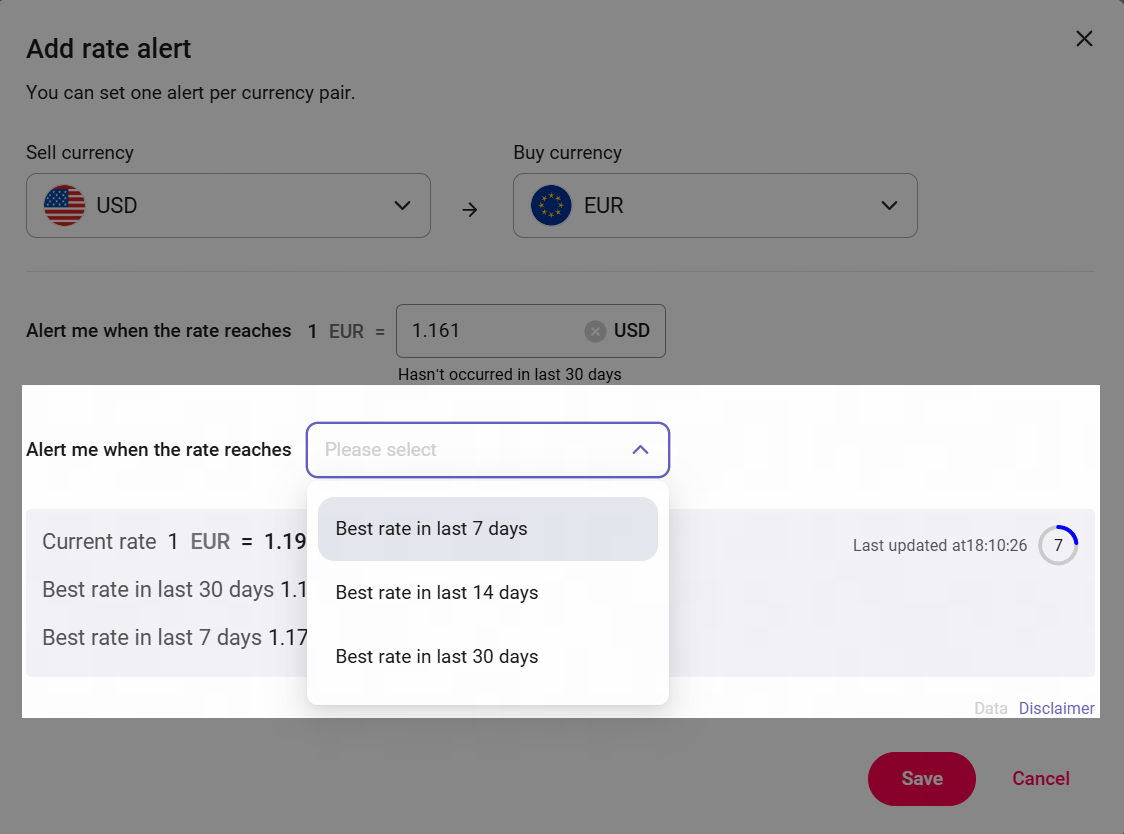
  1. If you would prefer, choose whether you would like to be alerted about the best rate within a pre-defined period. Click save once you are done.
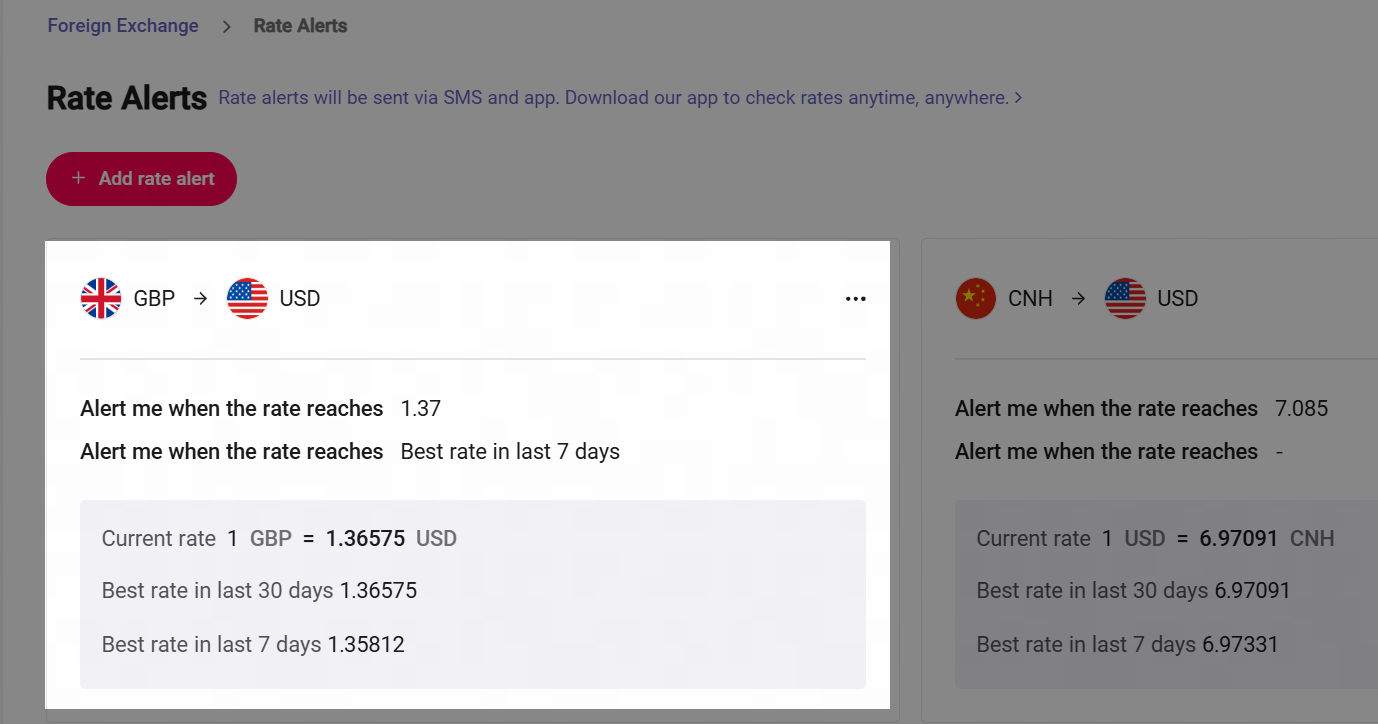
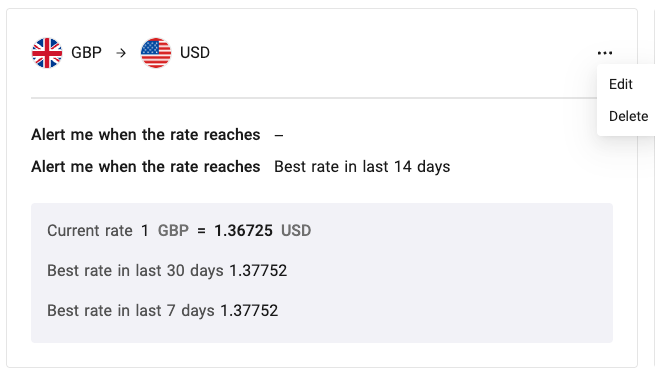
  1. After you set a Rate alert, notifications will be sent via SMS and email if your target rate(s) are reached. You can also edit or delete rate alerts in the rate alert management page.

image.png

image.png

image.png