
FX Payments
We've designed World Account to support global business, so you can make easy, fast, and secure payments in 20 send currencies and 101 receive currencies. |
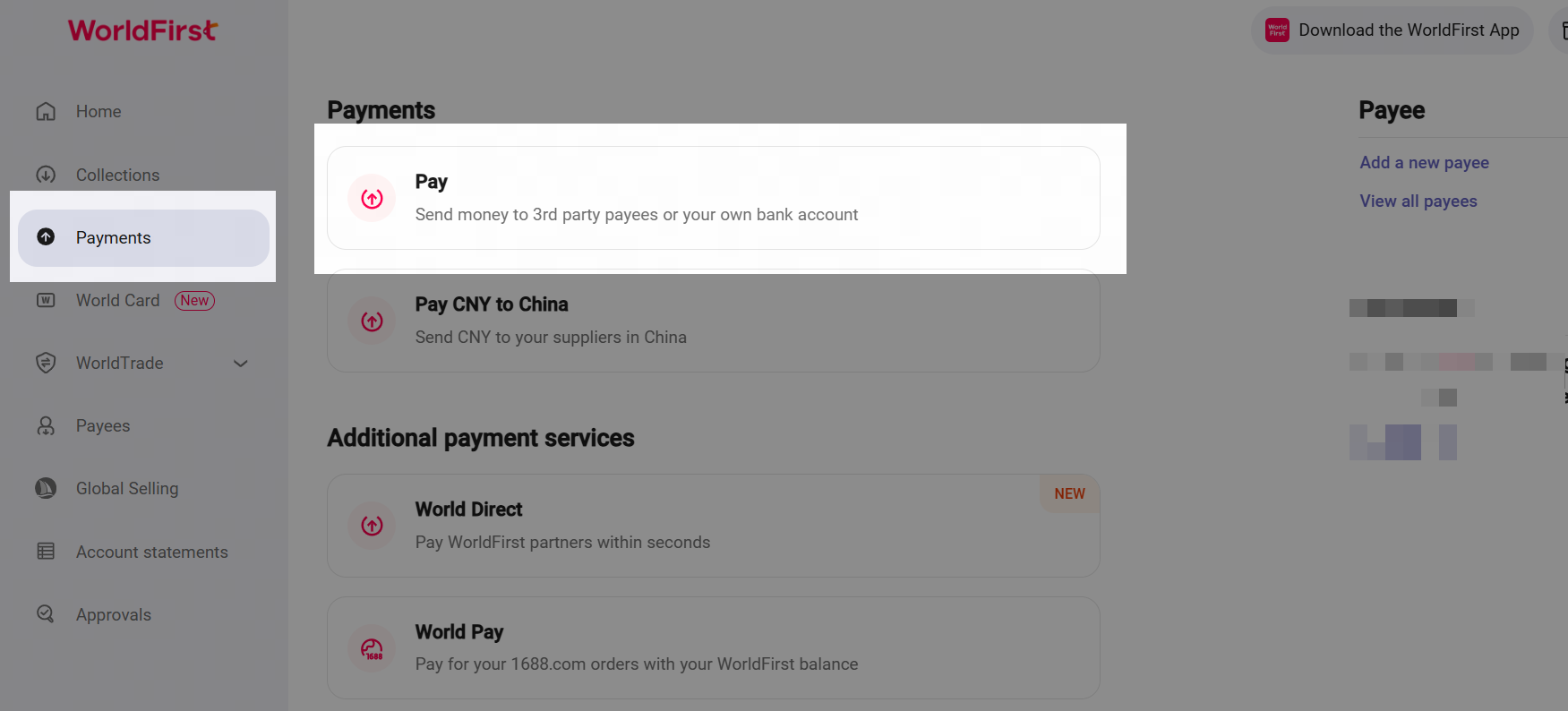
Navigate to Pay
- Click on the red Pay on your WorldFirst dashboard.
- Or click on Payments on the navigation bar on the left, and click on Pay.
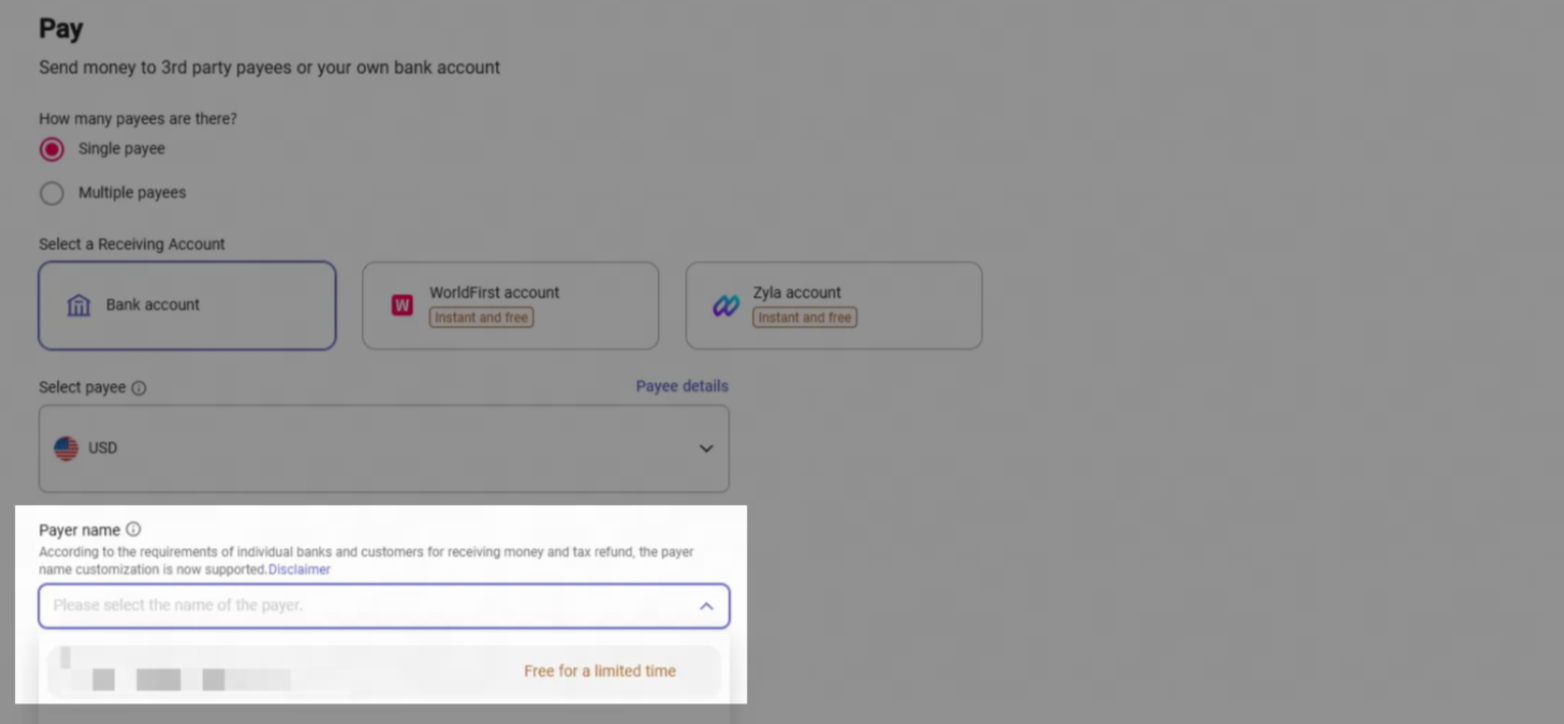
Select Payee
- You can select to pay a single payee, or muliple payees, or add a new payee for your payment.
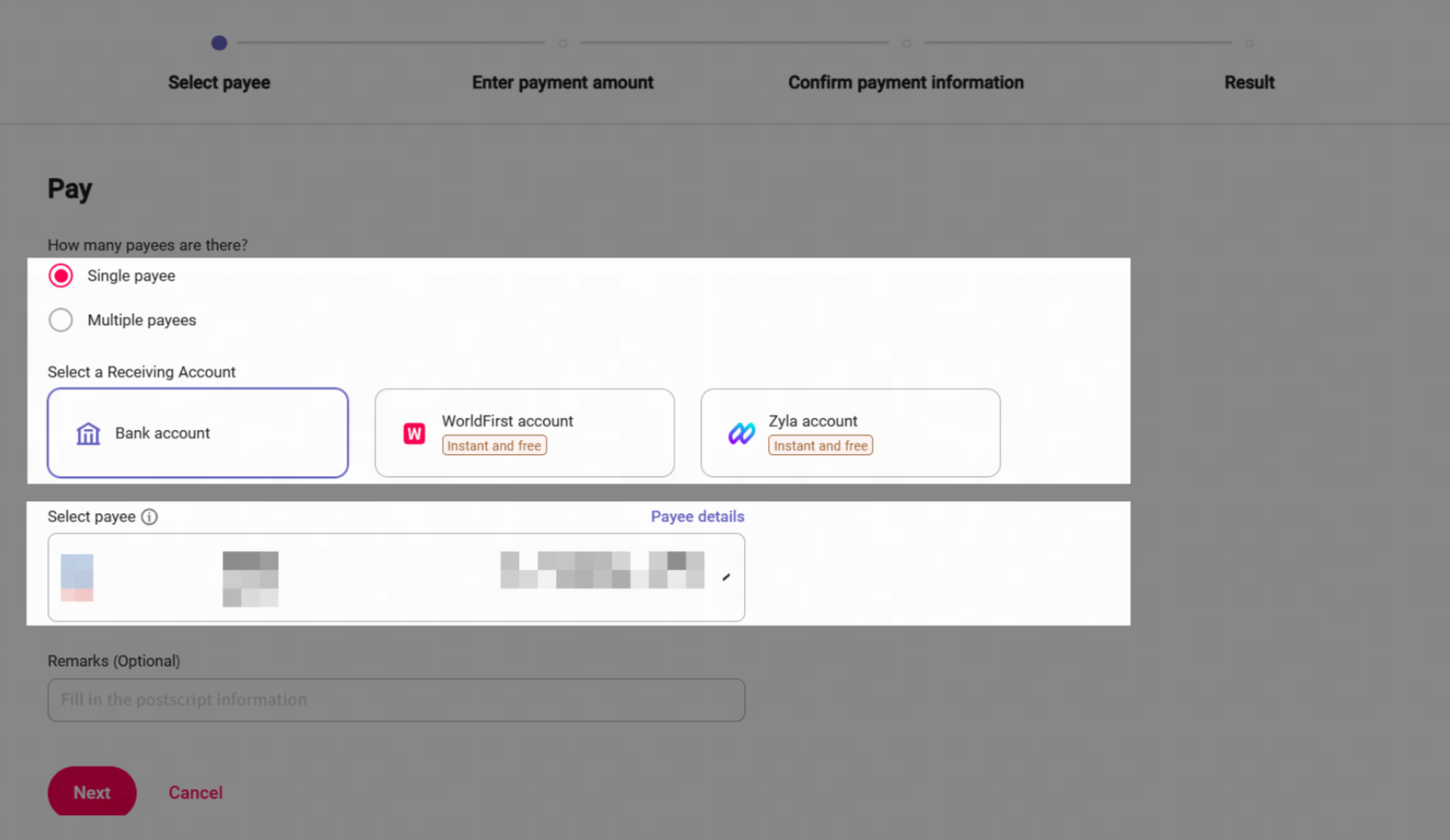
- You can also add in any payment reference in the remarks field, when you're ready click Next.
Select your funding currency and enter amount
- Select your send currency - this is the currency that you will fund your payment from - the currency your payee will receive will already be selected. Once you have selected your send currency you will be able to see your FX rate.
- Enter in either the amount your want your payee to recieve or the amount you wish to send from your balance
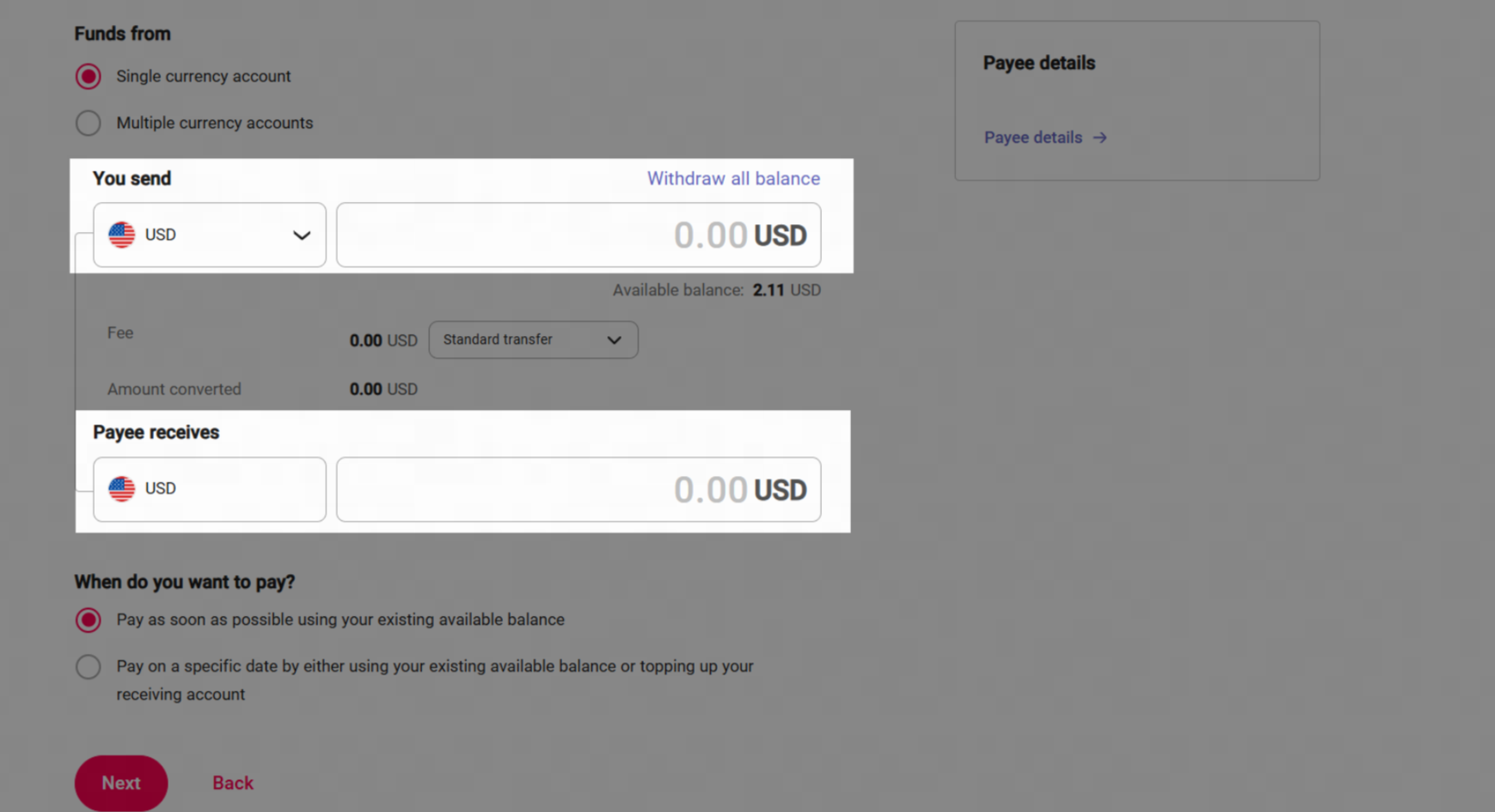
Confirm your payment date
- If you have sufficient balance in your account and would like to make your payment instantly click on "Pay as soon as possible using your existing available balance"
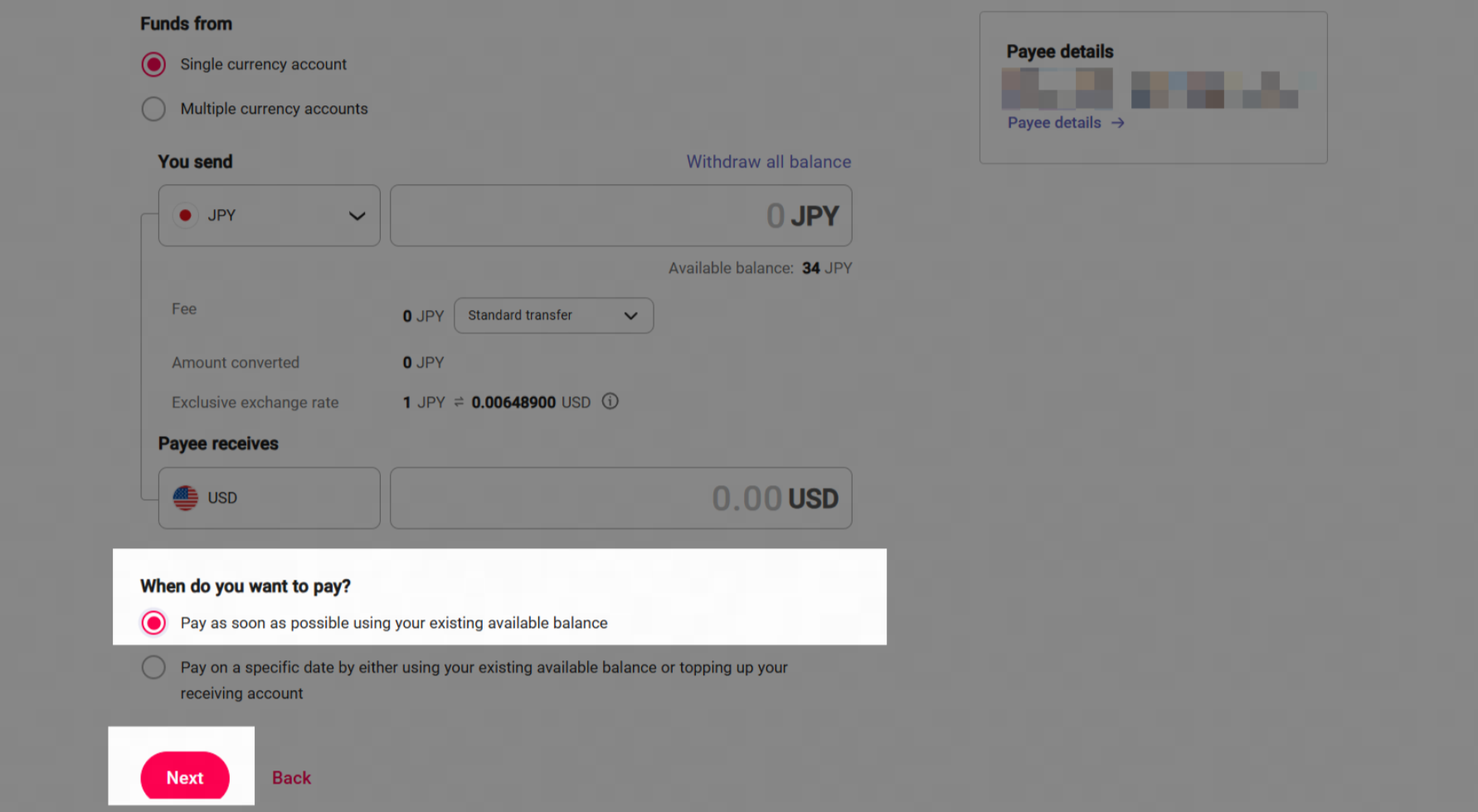
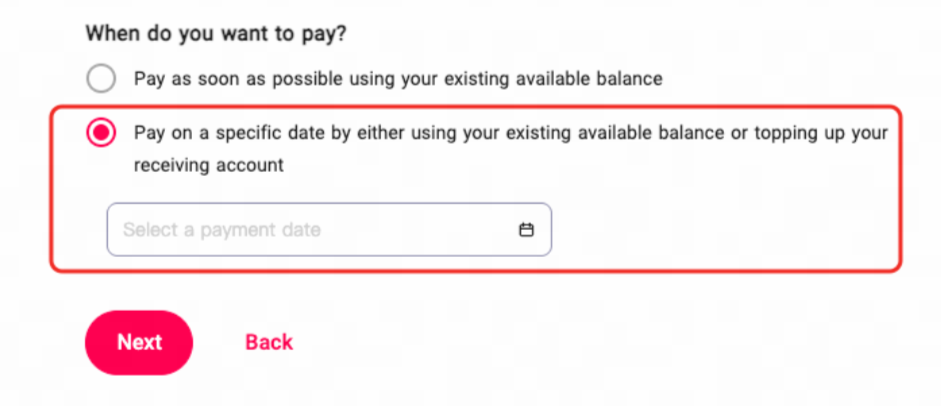
- If you do not have sufficient balance on your account, or would like to schedule your payment for a later date, click on "Pay on specific date" Please note an FX trade will be generated after payment is confirmed to lock in your payment rate.
Review and confirm your payment
- Autheticate your payment via Authy or SMS code.
- Once the verification is done, you'll be shown a summary of your transaction details. If you are happy with your payment details click Confirm payment and your payment will be booked.
FAQ
1. How can I manage my payments?
- Please naviagate through "Payments" -> "Transactions management" to view and cancel your payments.
2. Will I get charged if cancel my payments?
- If you have made your payment from your balance you will not be able to cancel your payment and you will need to reach out to our customer service team to send a recall request to the recipient bank.
- If you select "pay on a specific date" you will have booked an FX trade to lock in your rate, in order to cancel this you will need to contact our customer service team and you may incurr a fee for cancellation.
3. When will my account balance be debited on my scheduled payment date?
- Our system will start checking your available balance from 00:00 GMT on your scheduled payment date. Your account balance will be debited as soon as you have sufficient balance to cover your payment.